Use custom Coding Assistant Recipes and Project Baselines for Code Generation
You want to use a project baseline with custom Coding Assistant Recipes for code generation in a project.
Description
This How-To shows you
- how the code generation process works based on an existing service design using a project baseline with custom Coding Assistant Recipes
- how the code generation is affected by the used Coding Assistant Recipes
Prerequisites
- You have a project with an existing service design
- The project has a baseline with Coding Assistant Recipes
Example
We will use the Giftcard service to demonstrate the code generation based on an existing service design. More concrete, we want to create the implementation of the Giftcard API as Python code.
Service Design
In this example, the Giftcard service has the following design:
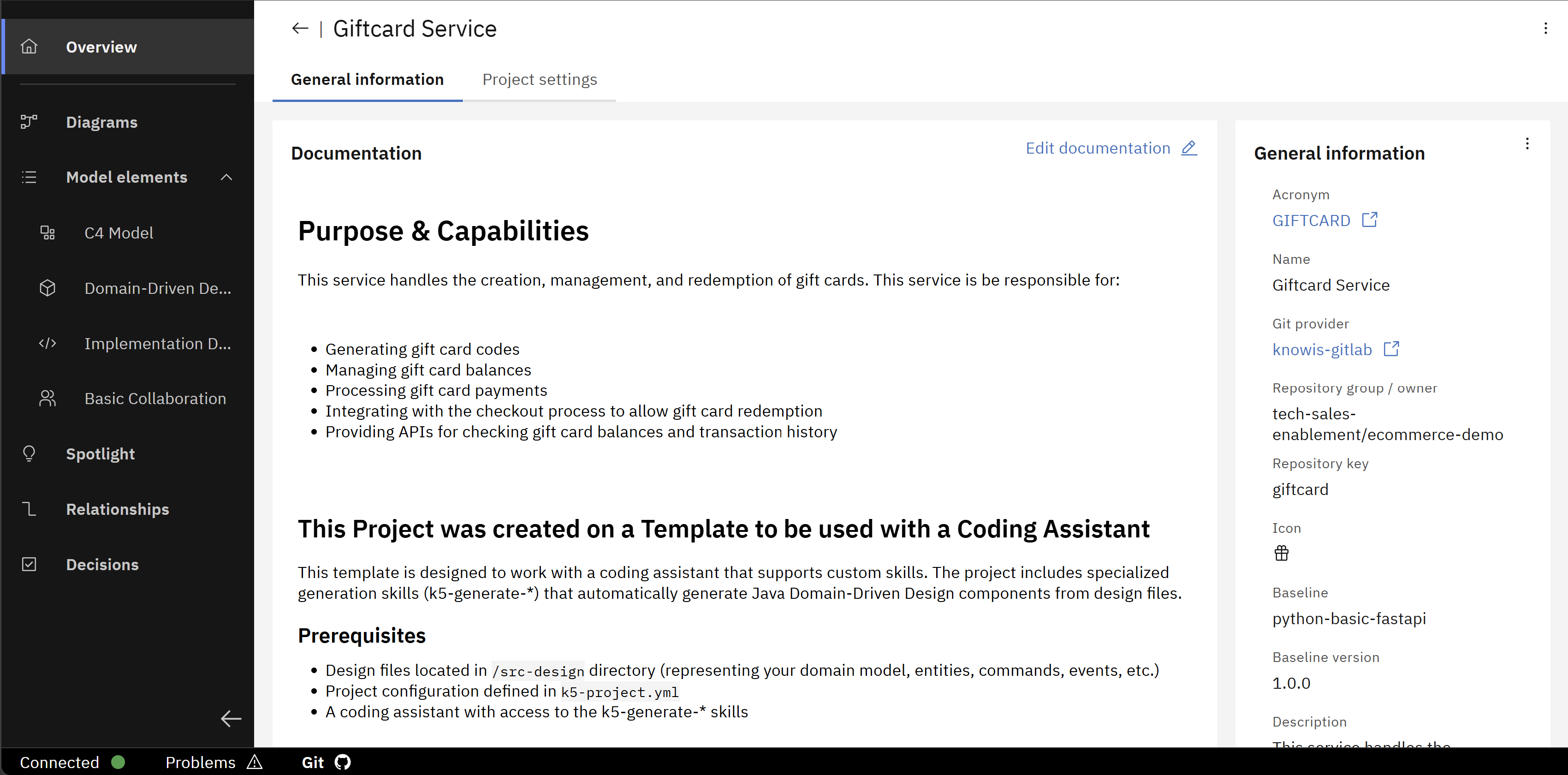
The python-basic-fastapi baseline, which you can find in the "General Information" section of the project overview.
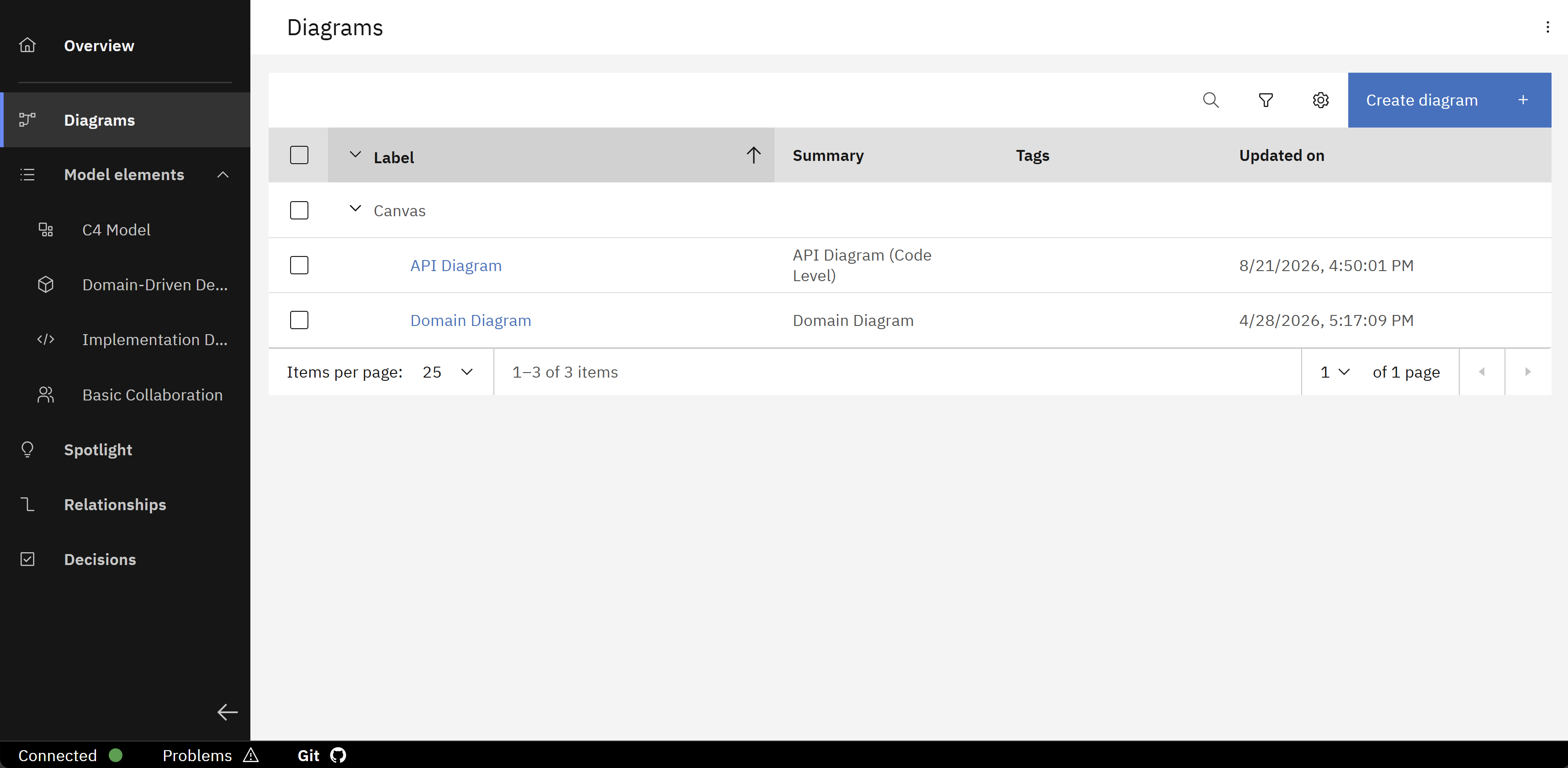
Two diagrams as the structure of the service design, which contain a domain model and API model.
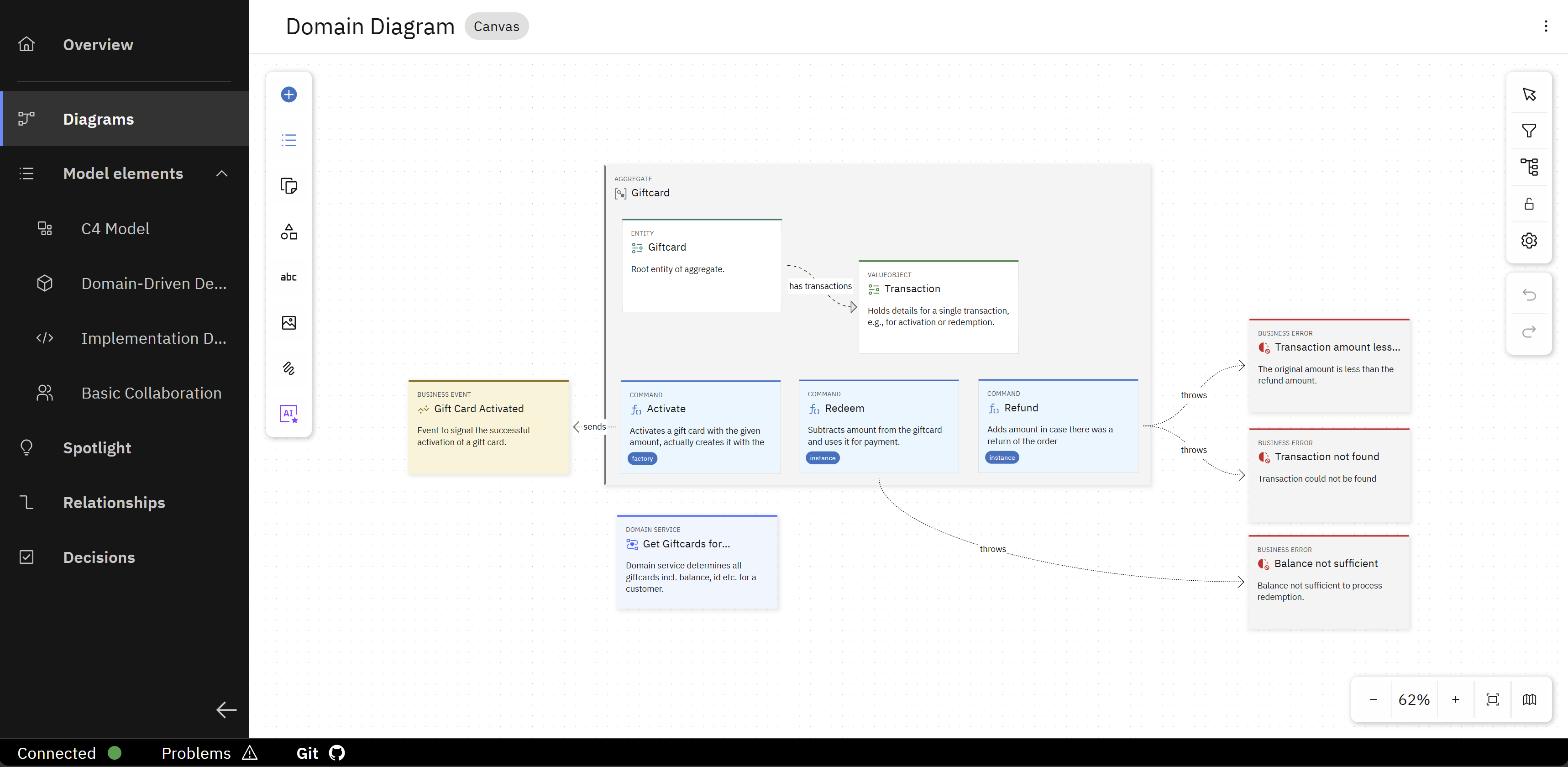
The domain diagram shows the entities and relationships within the business domain.
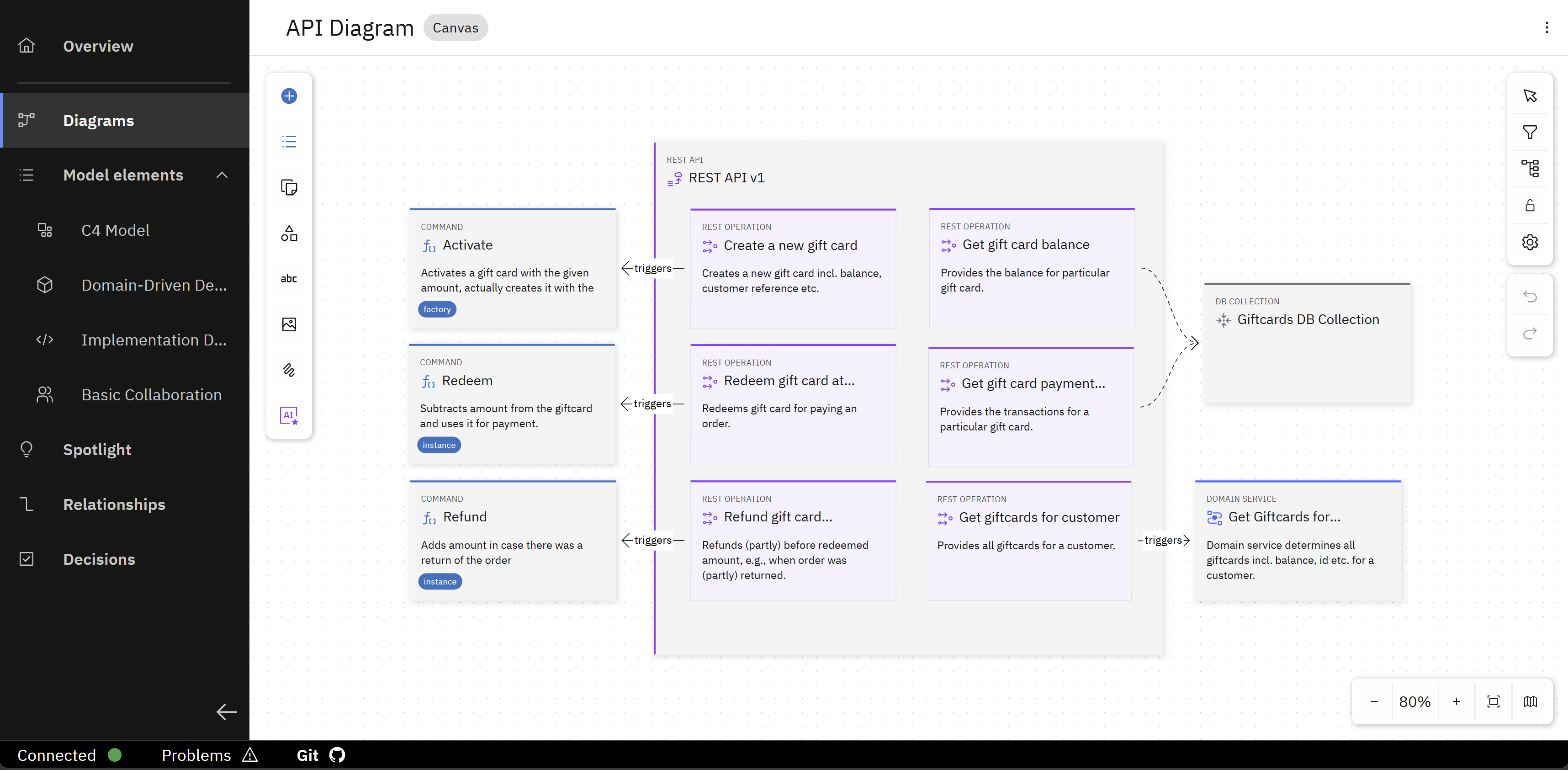
The API diagram illustrates the endpoints and their interactions.
Project baseline with Coding Assistant Recipes
In this example, the project baseline of the Giftcard service is python-basic-fastapi v1.0.0, which has the following structure:
.recipes/
└── skills/
    ├── coding-guidelines/
    │   └── SKILL.md
    └── generate-rest-api/
        └── SKILL.md
k5-baseline.yaml
k5-oml.yaml
The baseline contains the following files:
k5-baseline.yaml
id: "python-basic-fastapi"
version: "1.0.0"
name: "Basic Service Python"
description: "Implementing a service with Python/FastAPI"
tags:
  - "system"
  - "python"
  - "basic"
  - "fastapi"
icon: "Application"
color: "#0072c3"
codingAssistantPreferences:
  bob:
    label: "IBM Bob"
    mapping:
      - source: ".recipes/*"
        target: ".bob"
        overwrite: true
  copilot:
    label: "GitHub Copilot"
    mapping:
      - source: ".recipes/*"
        target: ".github"
        overwrite: true
  cursor:
    label: "Cursor"
    mapping:
      - source: ".recipes/*"
        target: ".cursor"
        overwrite: true
k5-oml.yaml
id: "implementation-model"
version: "1.0.0"
name: "Implementation Modeling"
description: "A modeling configuration supporting the implementation of projects"
metadata:
  tags:
    - "software-design"
    - "implementation"

# Layers (customizable by customers, but at least one must be defined)
layers:
  - id: "business"
    name: "Business Layer"
    description: "Business processes, actors, and value streams"
    descriptionDetailed: "The business layer represents business processes, actors, roles, and value streams. Elements in this layer describe what the business does and who interacts with it."

  - id: "application"
    name: "Application Layer"
    description: "Software applications and services"
    descriptionDetailed: "The application layer represents software applications, services, and components. Elements in this layer describe how software systems are structured and how they interact."

  - id: "data"
    name: "Data Layer"
    description: "Data structures, schemas, and storage"
    descriptionDetailed: "The data layer represents data structures, schemas, entities, and storage mechanisms. Elements in this layer describe what information is stored and how it is structured."

  - id: "technology"
    name: "Technology Layer"
    description: "Infrastructure, platforms, and technology components"
    descriptionDetailed: "The technology layer represents infrastructure, platforms, and technology components. Elements in this layer describe the technical foundation and deployment infrastructure."

  - id: "organization"
    name: "Organization Layer"
    description: "Organizational structure, teams, and locations"
    descriptionDetailed: "The organization layer represents organizational structure, teams, locations, and deployment environments. Elements in this layer describe who owns what and where things are deployed."

  - id: "knowledge"
    name: "Knowledge Layer"
    description: "Decisions, assumptions, requirements, and learnings"
    descriptionDetailed: "The knowledge layer represents decisions, assumptions, requirements, constraints, and learnings. Elements in this layer capture architectural knowledge and rationale."

# System Definitions (centrally defined, cannot be modified)
systemDefinitions:
  - id: "k5-oml-system"
    version: "1.0.0"

# Modeling Profiles
# When the file is provided within the git project, specify the source
profiles:
  # Basic Shapes
  - id: "basic-shapes-profile"
    version: "1.0.0"

  # C4 Model
  - id: "c4-profile"
    version: "1.0.0"
  # Domain-Driven Design
  - id: "ddd-profile"
    version: "1.0.0"

  # Implementation Design
  - id: "implementation-profile"
    version: "1.0.0"

  # Collaboration
  - id: "basic-collaboration-profile"
    version: "1.0.0"
coding-guidelines/SKILL.md
---
name: coding-guidelines
description: Coding guidelines for Python FastAPI services. Apply these guidelines in every generation skill and when implementing any code.
---

## Overview

Comprehensive coding guidelines for Python FastAPI service implementation. These guidelines ensure consistency, maintainability, security, and quality across the entire codebase. Apply these guidelines in every generation skill and when implementing any code.

## Technology Stack

### Programming Language and Framework
- Python 3.11+ is the target Python version
- FastAPI is the web framework for building REST APIs
- use async/await patterns for I/O-bound operations
- Pydantic v2 for data validation and settings management

### Dependency Management
- use `pyproject.toml` for dependency management
- pin major and minor versions in production dependencies
- separate development dependencies from production dependencies

### Testing Framework
- use pytest as the primary testing framework

## Naming conventions
- variable names should be snake_case and all lowercase
- function names should be snake_case and all lowercase

## Project Structure

Organize code following a clean architecture pattern:

project_root/
├── app/
│   ├── __init__.py
│   ├── main.py              # FastAPI app initialization
│   ├── config.py            # Configuration and settings
│   ├── dependencies.py      # Dependency injection
│   ├── api/                 # API layer
│   │   ├── __init__.py
│   │   ├── v1/              # API version
│   │   │   ├── __init__.py
│   │   │   ├── routers/     # Route handlers
│   │   │   └── models.py    # Pydantic models for requests/responses
│   ├── services/            # Business logic layer
│   │   ├── __init__.py
│   │   └── *.py
│   ├── repositories/        # Data access layer
│   │   ├── __init__.py
│   │   └── *.py
│   ├── models/              # Domain models
│   │   ├── __init__.py
│   │   └── *.py
│   ├── integrations/        # External service integrations
│   │   ├── __init__.py
│   │   └── *.py
│   └── utils/               # Utility functions
│       ├── __init__.py
│       └── *.py
├── tests/
│   ├── __init__.py
│   ├── conftest.py          # Pytest fixtures
│   ├── unit/
│   └── integration/
├── pyproject.toml
└── README.md
generate-rest-api/SKILL.md
---
name: generate-rest-api
description: This skill provides instructions on how to generate the REST API based on design files
---

## Programming language and framework

This project uses the FastAPI framework for building APIs with Python.

## Overview

Generate the REST API from the design files in src-design/elements/implementation/rest-api and src-design/elements/implementation/rest-api-operation folders. The skill handles two types of REST APIs based on the interaction-type property.

## Providing REST APIs (interaction-type: providing)

- REST APIs exposed by the system to external clients
- for every REST API in src-design/elements/implementation/rest-api generate a file in /app/api/routers
- implement the corresponding api operations defined in src-design/elements/implementation/rest-api-operation

## Consuming REST APIs (interaction-type: consuming)

- external REST APIs consumed by the system
- generate integration service files in the /app/integrations folder for external API communication
The project baseline used for this example is created in How-To: Create and edit custom Project Baselines - Integrate custom Coding Assistant Recipes. Check out this How-To if you want to have a look at the creation process of baselines with Coding Assistant Recipes.
Steps
The following steps of this How-To are similar to the Try it yourself: Bootstrap a Service from a Shared Design Model. There, the Giftcard service has the same implementation design, but a different project baseline (java-springboot-ddd) is used for the code generation. If you have already completed the steps of the Try it yourself, you can use this How-To to explore the differences in the code generation hands-on.
1. Clone the project
To clone a project, you can either use the UI of your Git instance or the Solution Designer to copy the repository URL. Using the Solution Designer is done like this:
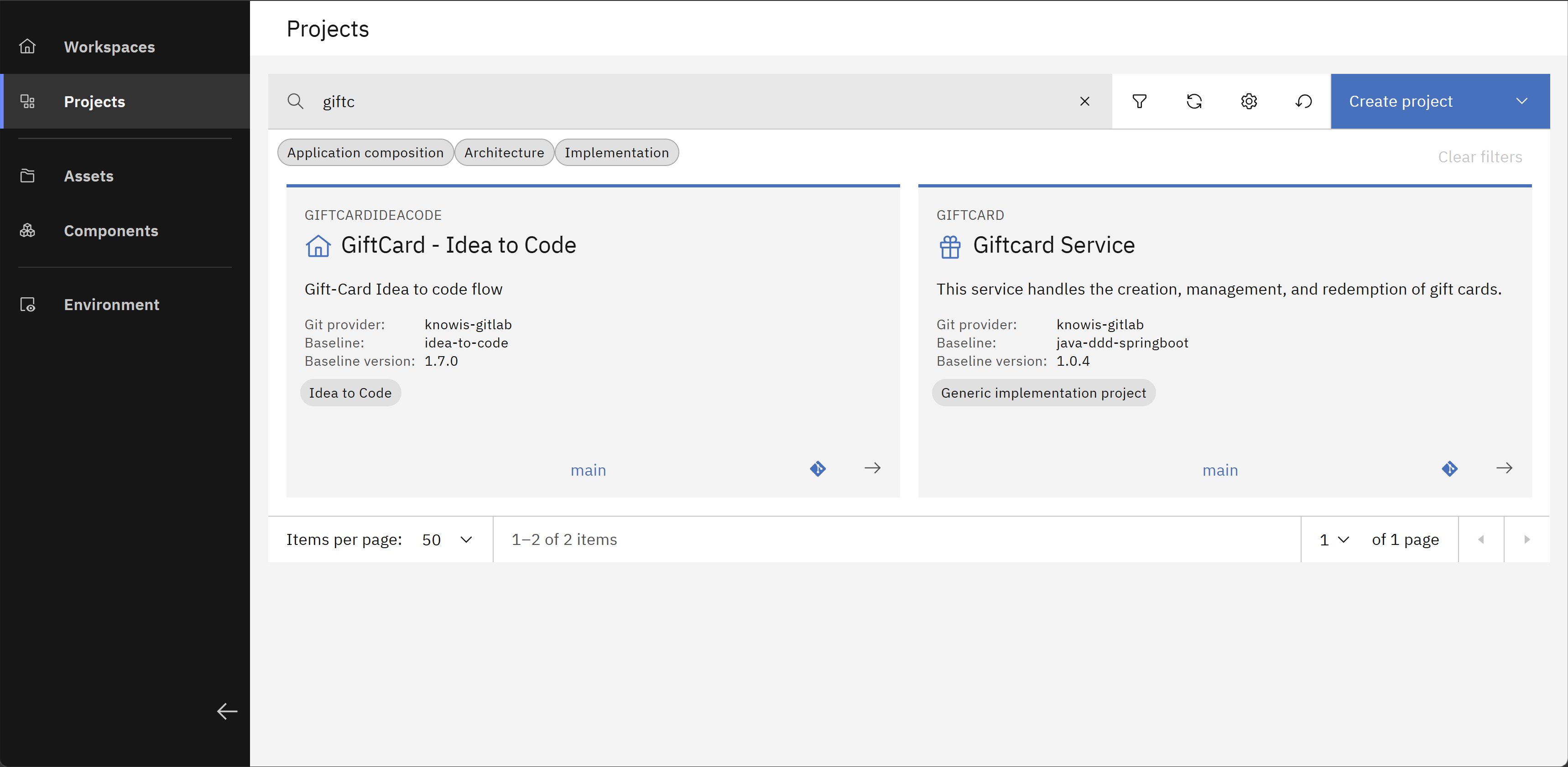
In the Solution Designer, go to the "Projects" overview and search for the project you want to clone. Then click on the corresponding card to open the project overview.
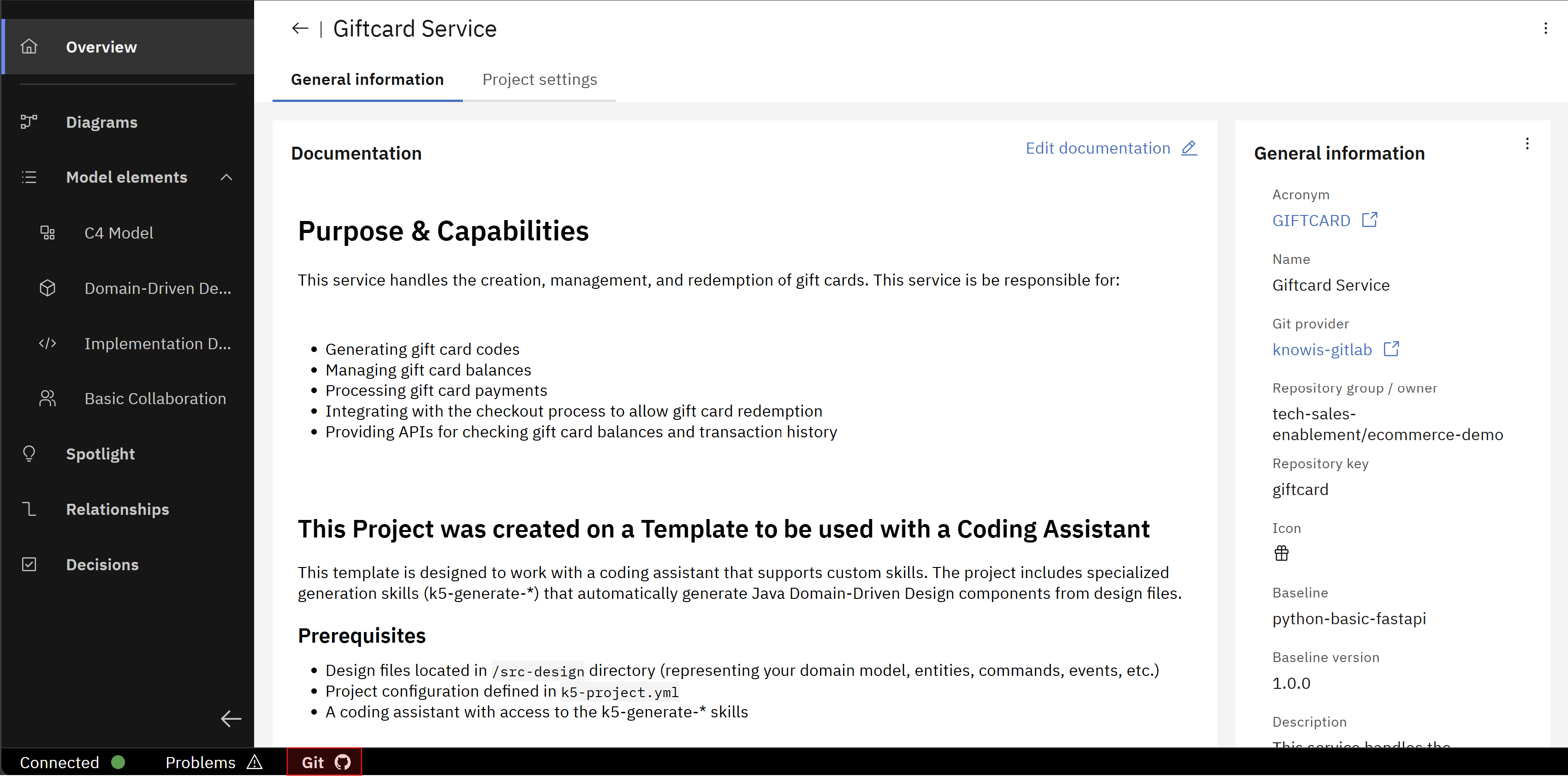
Inside the project, click on "Git" in the footer to expand this section.
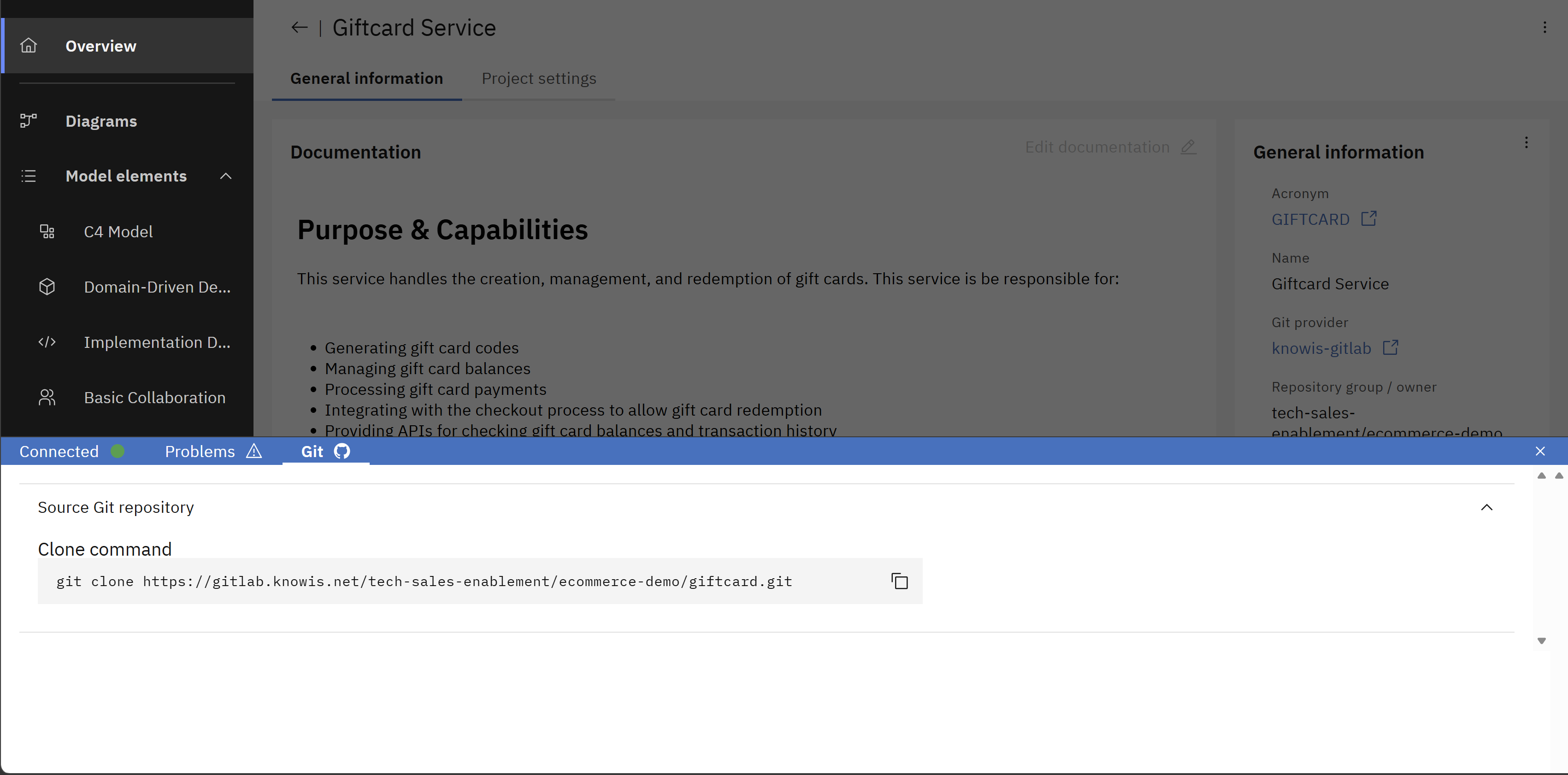
You should see a command to clone the repository. Copy this command and switch to a terminal.
In both cases, run git clone <URL> in a terminal. You might be prompted to enter your credentials for the Git instance.
These can be your username and a password, which is in general a personal access token (PAT) that you have created in your Git instance.
If you have not created a PAT yet, please check the documentation of your Git instance on how to create one.
If you want to clone a specific branch and not the default one of your repository, you can use the following command:
git clone <URL> -b <branch-name>
After cloning the project, open it in your preferred IDE and explore the file structure, which should look like this:
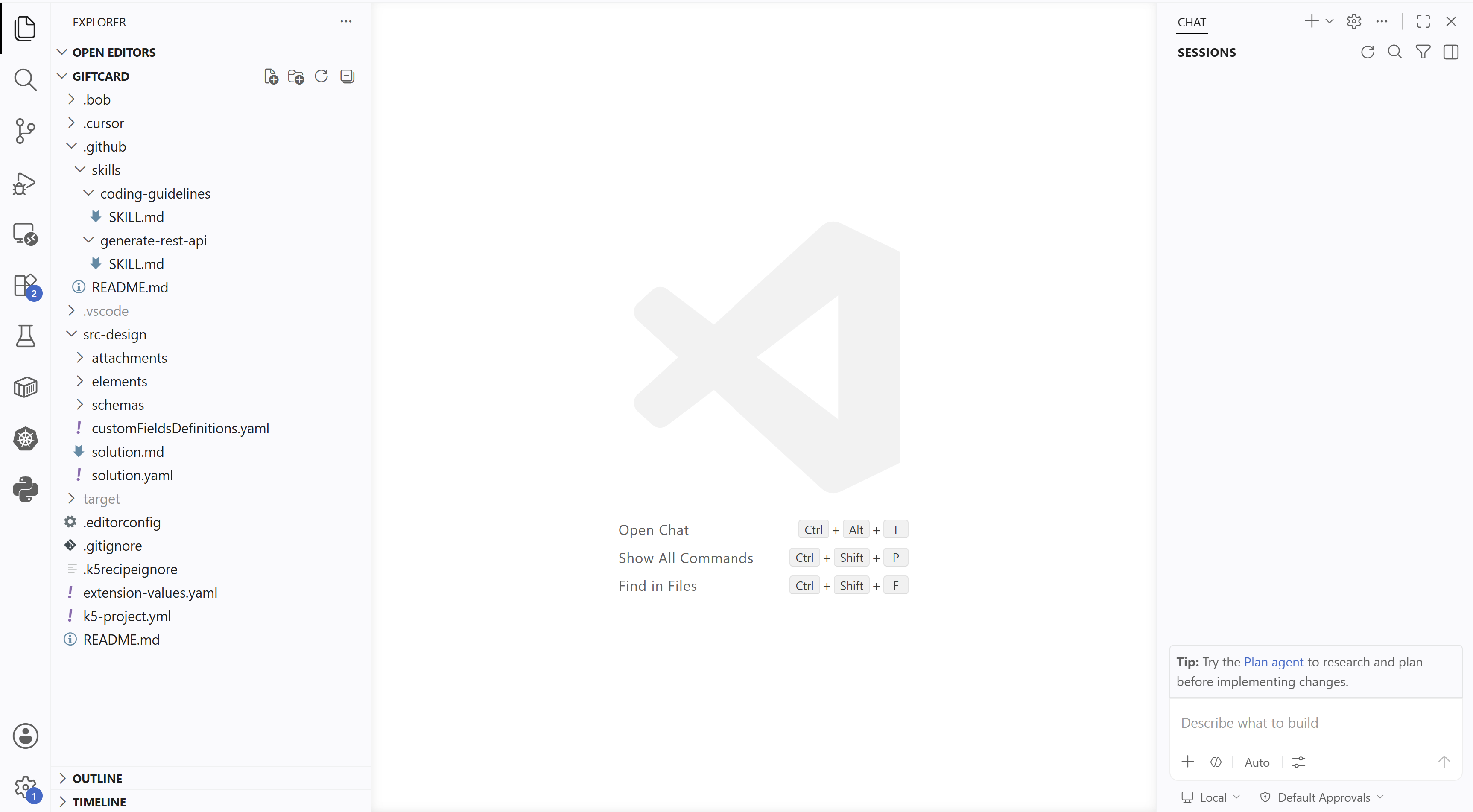
In this example, following parts of the project structure are relevant for the code generation:
- The folders
.bob,.cursorand.githubcontain the Coding Assistant Recipes of the project baselinepython-basic-fastapi, so each of the three coding assistants IBM Bob, Cursor and GitHub Copilot can use these recipes for the code generation. - The
src-designfolder contains the implementation design of the Giftcard service, which is used as input for the code generation. - The project repository does not contain an implementation folder since no code has been generated yet.
2. Generate the service implementation code
In the following, we use VS Code as the IDE and GitHub Copilot as the coding assistant for the code generation, but you are free to use any IDE of your choice and one of the supported coding assistants.
When running the coding assistant with default approval settings, manual confirmation may be required and prompted before the assistant performs certain actions (e.g. adding files), which can slow down the run noticably. Therefore, you can change these approval settings to bypass the manual confirmation. You can bypass approval for a single chat or by default for all new chats. And if supported by your coding assistant, you are also able to add an allowlist or auto-approve list to bypass the approval for some dedicated actions (but not for everything).
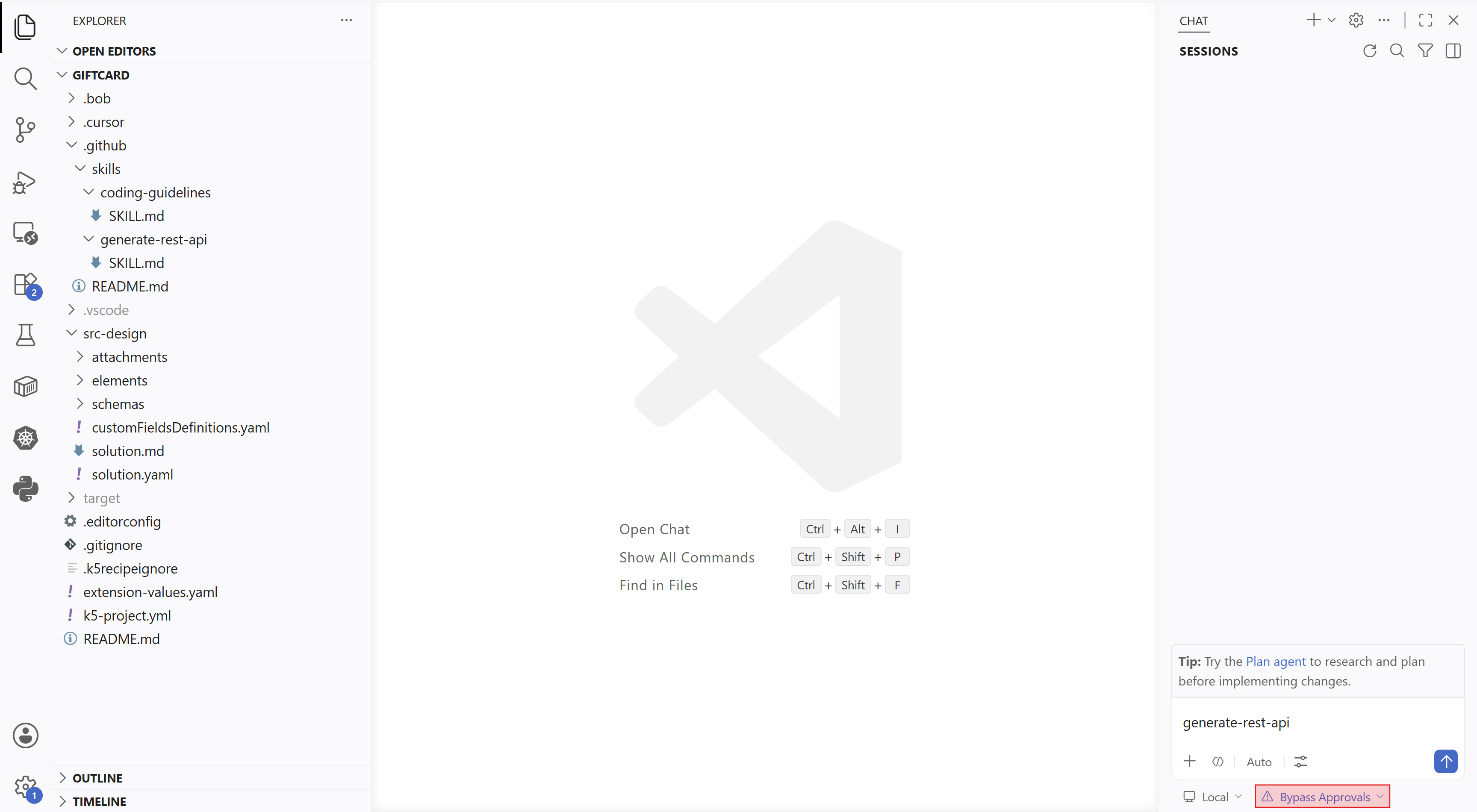
In your IDE, open a new chat for your coding assistant in agent mode.
Select your desired AI model and enter the prompt generate-rest-api.
Here, also approval settings are changed to bypass manual confirmation in order to not slow down the code generation (cf. the bottom right in the image).
The code generation process done by your coding assistant can be viewed in the chat and could look like this:
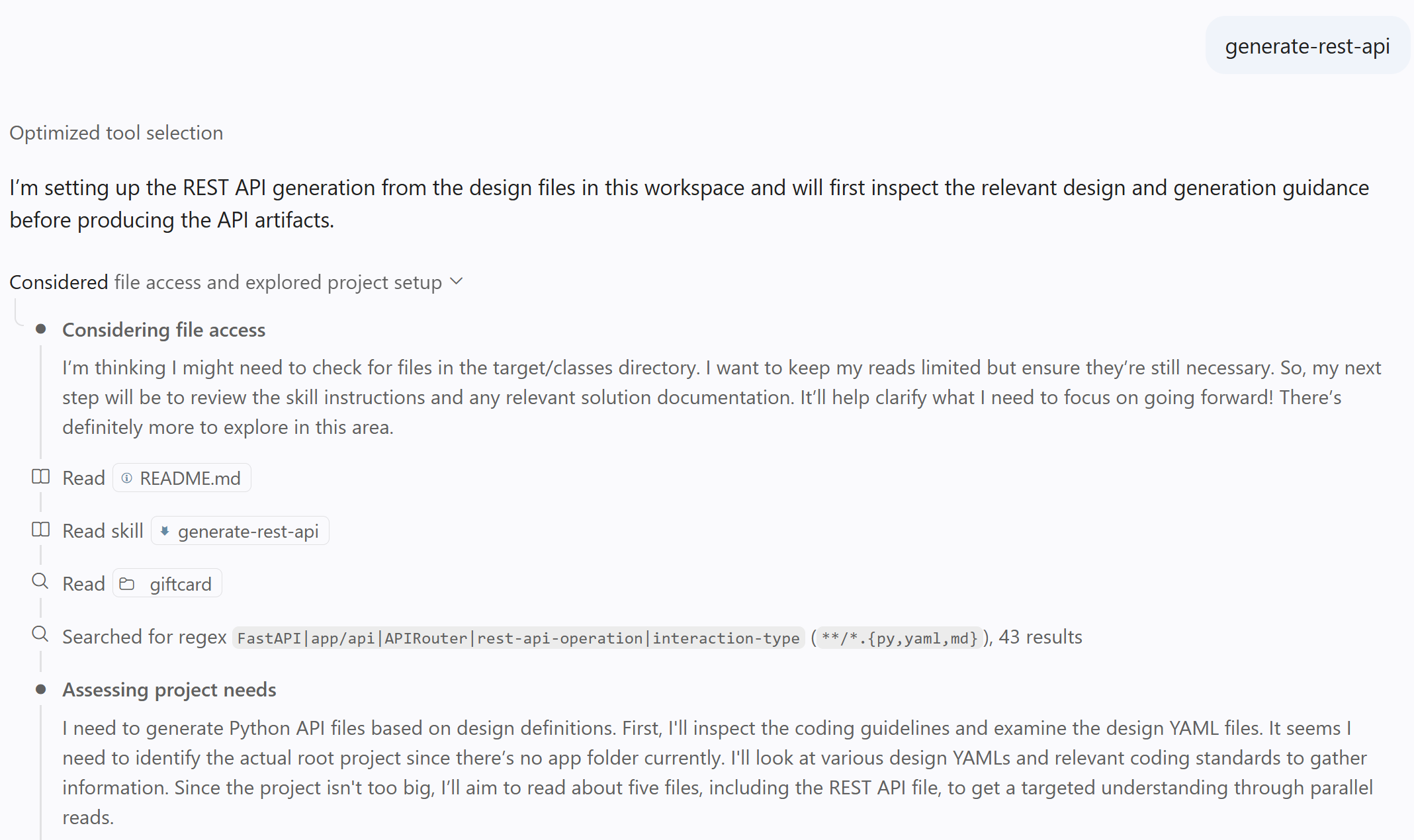
By entering the prompt mentioned above, the coding assistant figured out to read the "generate-rest-api"-skill in the first steps.
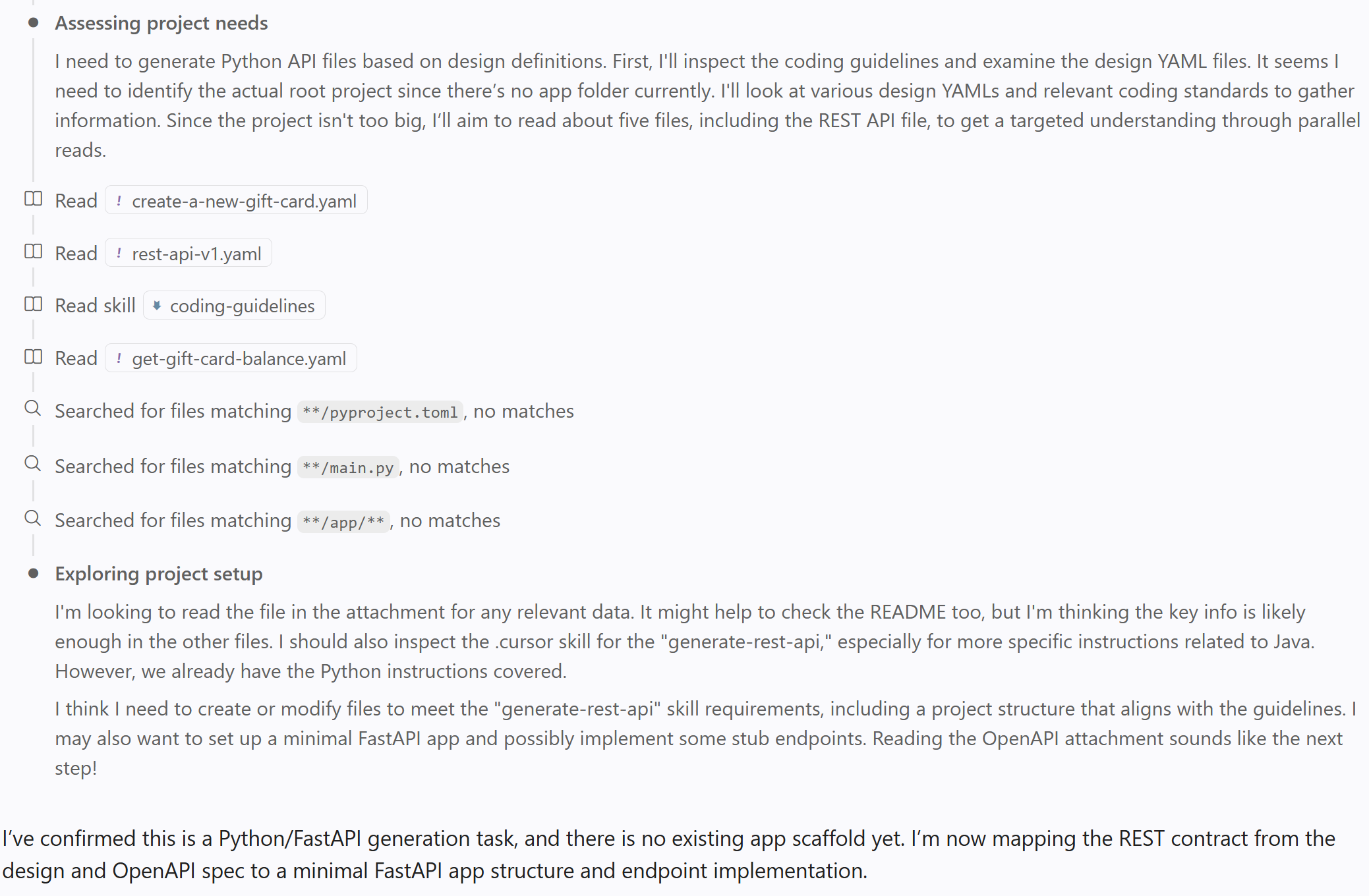
The coding assistant starts to read parts of the service design, while also considering the "coding-guidelines"-skill. Furthermore, the assistant figures out that there is no existing implementation yet, and plans the next steps accordingly.
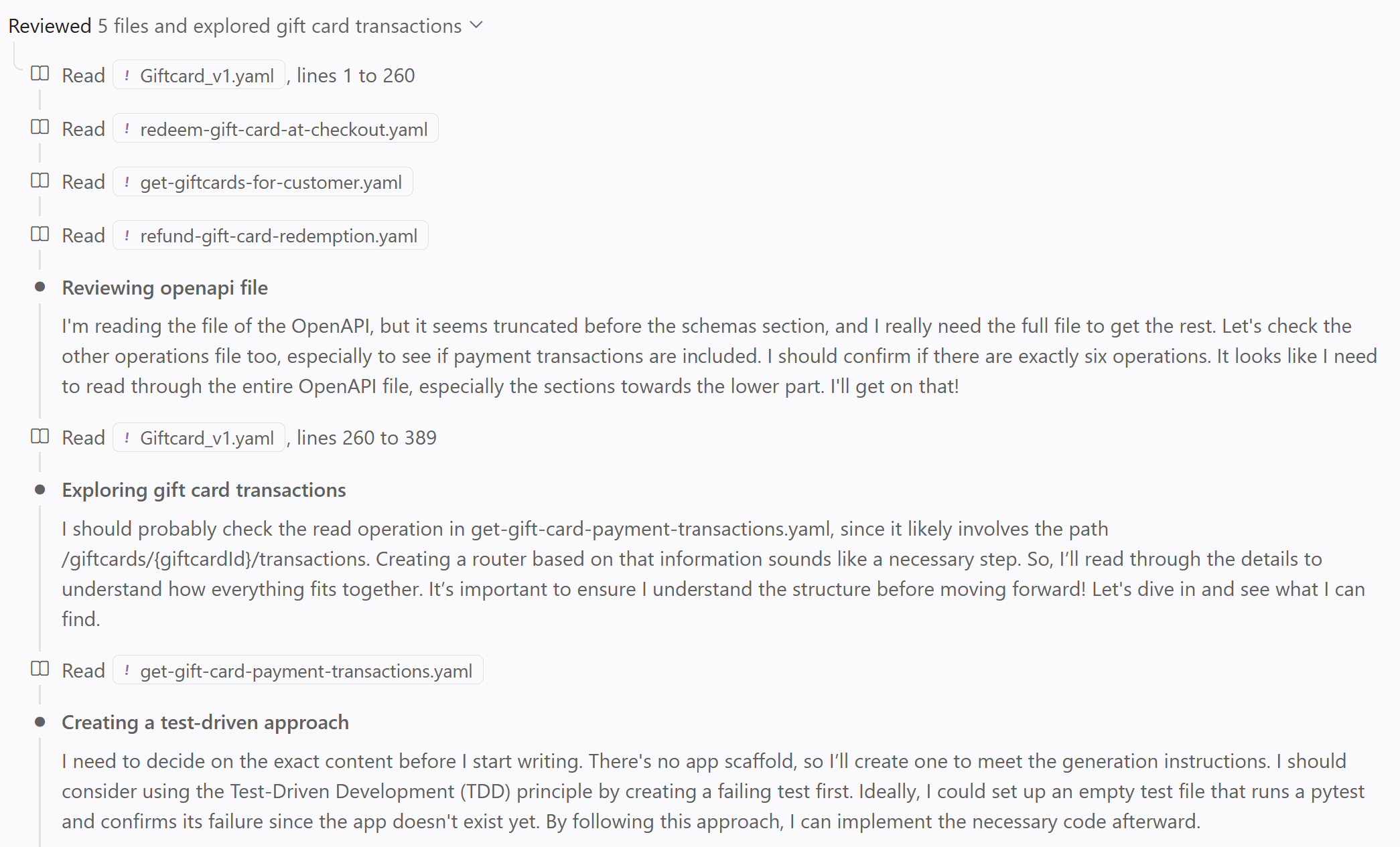
The coding assistant continues to read more parts of the service design and even considers testing.
3. Explore the generated code
The code generation may take a few minutes before it completes with a result. The duration of the run and the quality of the result is dependent on the selected AI model.
The result of the code generation could look like this:
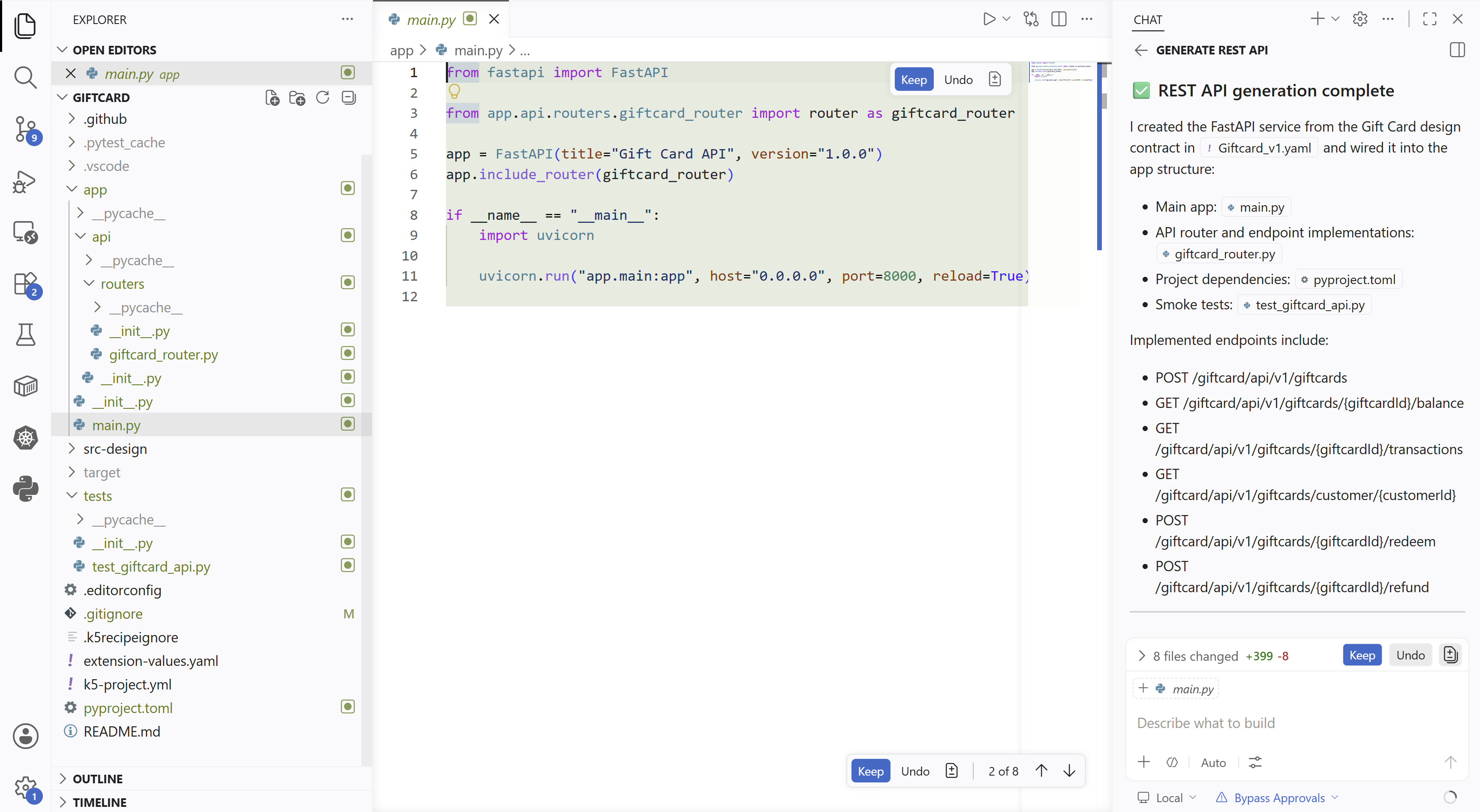
The following statements can be concluded from the code generation process and from its result (cf. the image above):
- The structure of the created files, the project dependencies (
pyproject.toml) and the tests (test_giftcard_api.py) most likely have their origin in the "coding-guidelines"-skill (cf. section Project Baseline with Coding Assistant Recipes). - The folder
/app/apiwith its content most likely has its origin in the "generate-rest-api"-skill (cf. section Project Baseline with Coding Assistant Recipes). - The content of file
giftcard_router.pycontaining the implementation of the 6 Giftcard service API endpoints most likely has its origin in the API model of the service (cf. section Service Design). - The domain model of the service is not considered and not implemented. Its cause is most likely that the provided skills do not mention how to handle the domain model of a service. Therefore, the coding assistant skips reading and implementing the domain model.
You have successfully generated the implementation code of a service based on and aligned with its existing implementation design by using the Coding Assistant Recipes of the project baseline. You have also learned how Coding Assistant Recipes can influence the result of the code generation.