Demo Block — Enterprise Pain
Introduction
If shown after Team pain:
We just saw a coding assistant follow a decision it read from the model. That works because someone defined what these model elements mean and how the coding assistant should act on them. Now let's see that principle at scale: expert knowledge encoded once, and every service, every team, generating consistent, correct code from it — automatically.
Context: Structured, accessible design context helps one developer work better. In an enterprise context, a deviation from a convention can be a risk. Compliance, security, audit trails — these apply to every service, every time. At scale, you can't rely on every developer knowing every rule.
Related trial experience: Bootstrap a Service from a Shared Design Model
Demo persona: Architect or senior developer.
Show case: Standards (implementation, compliance rules, security policies) are defined once by the respective experts, and every new project is based on them.
Open ROBOFLOWAP in Workbench with a branch created for the demo. Clone the GIFTCARD service to your local machine and open it in your IDE.
See Preparation and Clean-up. Set the AI coding assistant to "Advanced mode" with "Auto-approve".
Demo
Without Workbench
Unlike the other demo block, there's nothing to click through here — the pain is the absence of a starting point, not a specific screen. Narrate this part, then move straight into "With Workbench".
What does a developer do today when starting to implement a new service? Copying from an old repo, researching Confluence, asking colleagues, guessing. For larger projects and entire enterprises, it's almost impossible to apply all the rules and policies that should actually be followed for every single service — leading to security risks and extra maintenance effort from not following standards.
With Workbench
When using Workbench, this is different. Experts contribute once: a Java expert defines how entities are implemented, the architect attaches compliance rules and security policies as coding instructions. Everything is versioned, all in one place, all attached to the shared design model.
Show the org-wide standards
-
Go to Workbench and open ROBOFLOWAP (create a demo branch, since
mainis protected). Select Decisions.Here, system-wide ADRs are visible and attached — decisions that apply everywhere, not just one service. This is the system-wide source of truth, accessible to developers and AI alike.
-
Select Diagrams and open the Level 2 container diagram. Point to the Gift Card container.
This is a new service — part of the architecture, not yet implemented. Let's look at how it's designed.
Show that Gift Card is already fully designed — just not built yet
From the Level 2 diagram, navigate to the actual GIFTCARD project — this is a separate project from ROBOFLOWAP (the architecture project shows how services relate to each other; GIFTCARD
is where this one service is designed in detail). You can also jump straight there via Giftcard Service if the live click-through isn't needed.
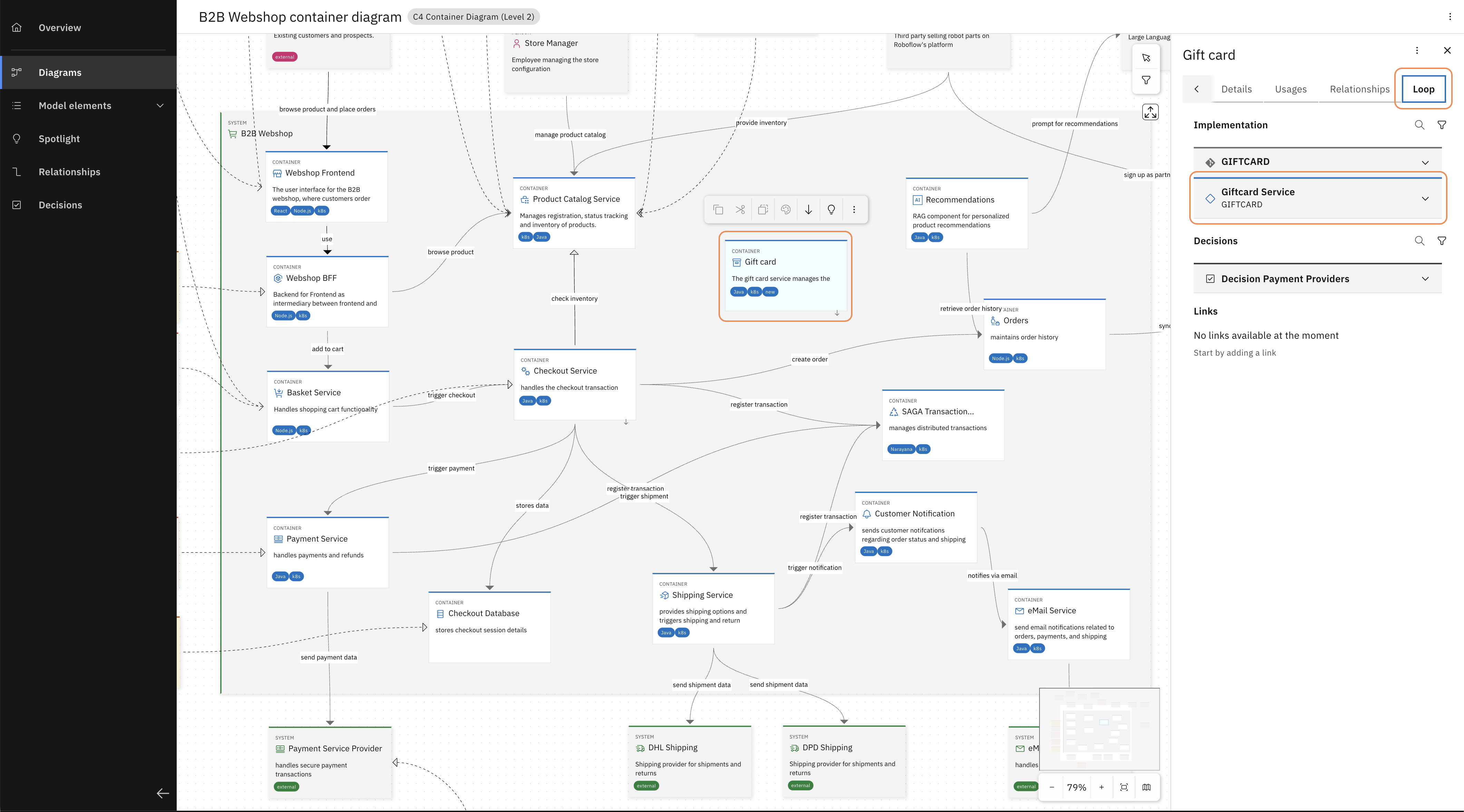
Select the Gift Card container on Roboflow's L2 diagram and, in the sidebar on the right (expand if needed), navigate to the Loop tab to open the associated Workbench project.
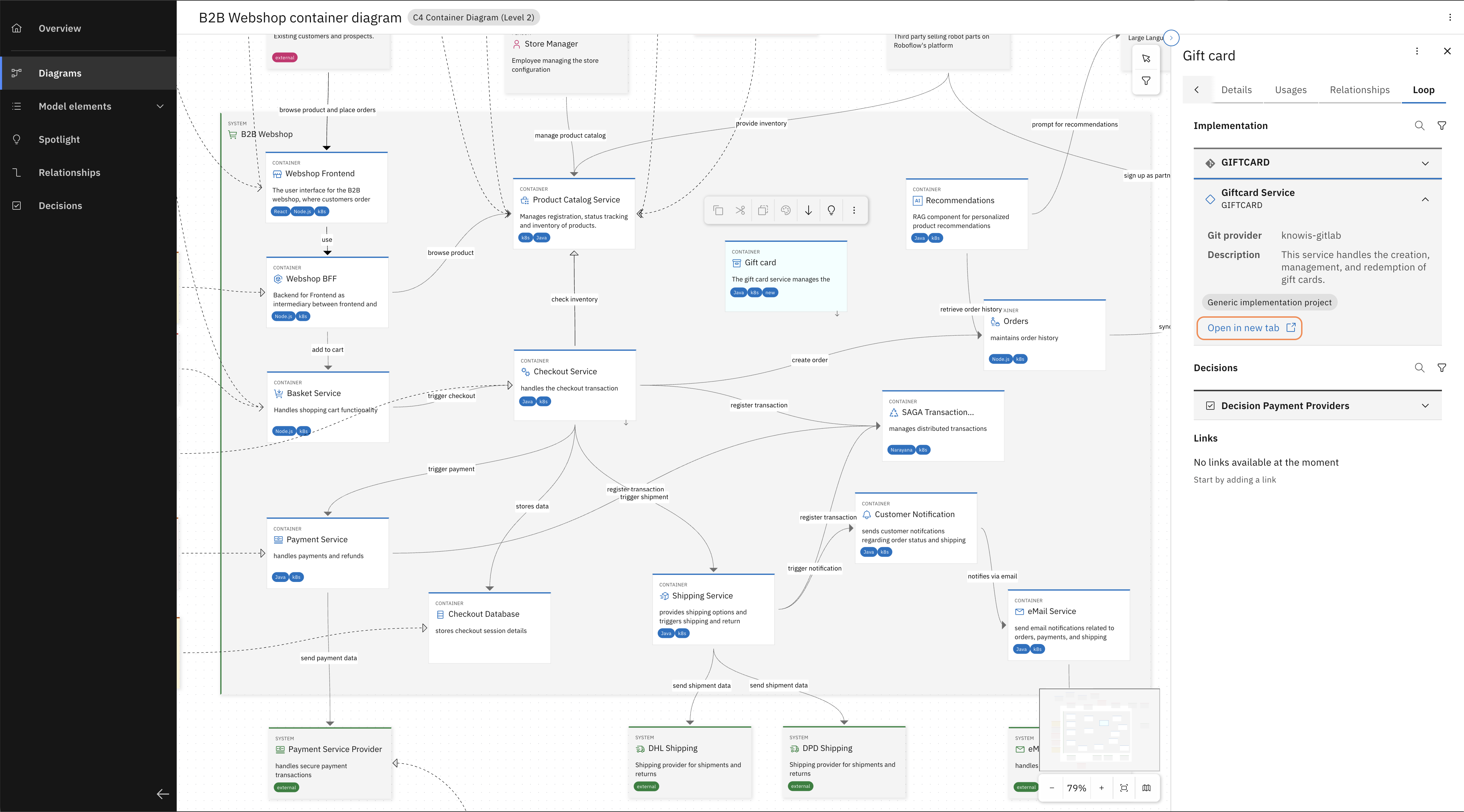
Find the linked Workbench project for Gift Card Service and "Open in new tab".
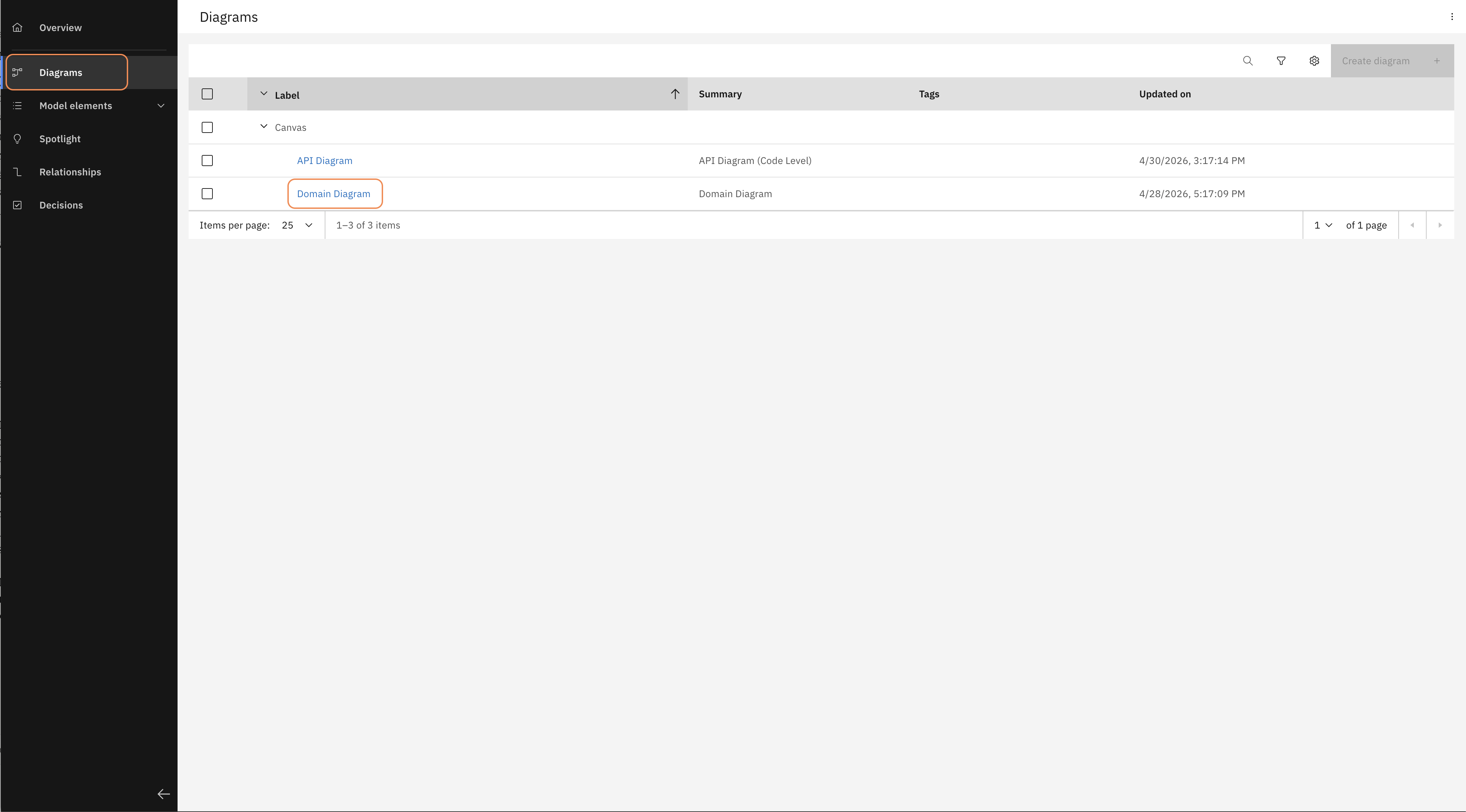
This opens the Gift Card service. Open "Diagrams" on the left and select "Domain Diagram" to see the design of this service in detail.
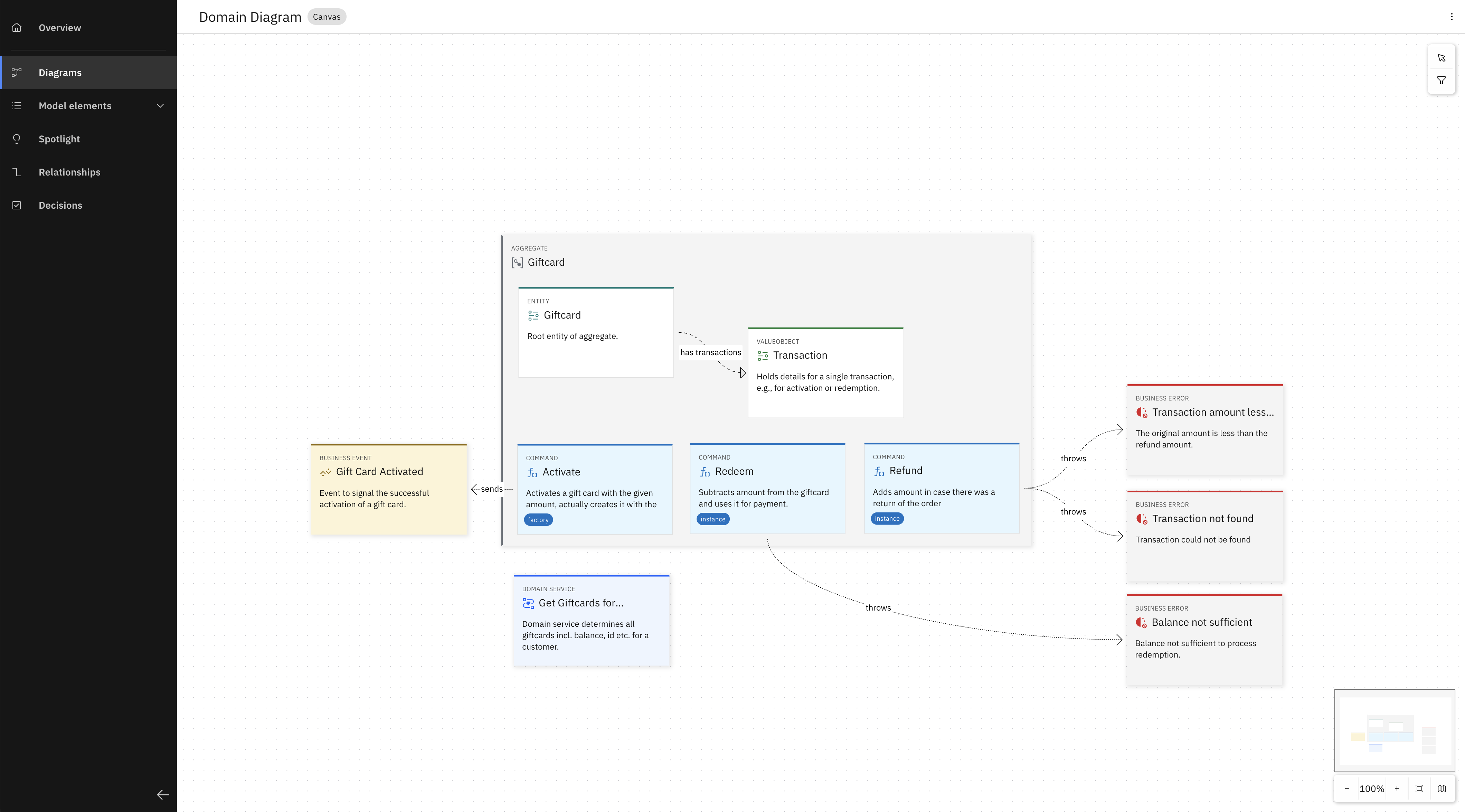
The Domain Diagram of the Gift Card service, showing aggregates, commands, and business errors.
An architect already designed this service — the Giftcard aggregate, its commands, its business errors — down to the business logic on individual commands. What's missing is the implementation. That's what we're about to generate.
This part of the walkthrough follows the same steps as the public Bootstrap a Service from a Shared Design Model trial. If the audience wants to try it hands-on afterwards, point them there.
Explain why one command is enough: Project Baselines
So the design exists. But a design alone doesn't generate correct code — you also need to know how your organization wants that design turned into code: which conventions, which folder structure, which compliance rules. That's what a Project Baseline is: a package attached to the project that bundles two things — the modelling vocabulary available to it, and the skills your coding assistant uses to translate model elements into code. An expert defines a baseline once. Every project attached to it inherits it automatically — including this one.
Generate the implementation
-
Open your IDE with the
GIFTCARDservice (mainbranch is fine — nothing needs to be pushed). Optionally open the.githubfolder (or.cursor/.claude, depending on the assistant) to show the skill files the baseline provides, physically present in the repo. -
Open the chat window and enter
k5-generate.That's the entire prompt. No description of the service, no explanation of the entities, no instructions about how adapters should be wired — everything the AI needs is already in the design model. The skills provided through the Project Baseline handle the rest.
-
Follow the code generation. Open
src/main/java/k5/giftcardand explain that all code is implemented following the design. -
Open the command folder and the
Redeemcommand class.This is where it gets concrete: the business logic your architect wrote in Workbench — check the balance, throw BalanceNotSufficient if insufficient, create a transaction, subtract the amount — is already implemented. The AI didn't infer this from the code. It read it from the model.
-
Close with:
Any developer starting a new service automatically inherits the expertise your organization's expert encoded — once. The AI doesn't guess how an entity should be implemented; it's always the same across services. Same model elements, same skills, the same result.
"One prompt. Every entity, every endpoint generated exactly the way your Java expert and your architect intended."