Change and sync a Baseline in existing Projects
You want to change or synchronize a baseline as the foundation of an existing project.
Description
This How-To shows you
- how to perform the sync and change of a baseline in an existing project
- how to customize the behaviour of syncing and changing baselines
- how syncing and changing a baseline affects the project
Prerequisites
- You have an existing project containing a baseline
Customize the behaviour of syncing and changing baselines
Already existing Coding Assistant Recipes in the git repository of a project can be skipped from modification during a baseline change or sync.
Therefore, a file named .k5recipeignore can be added to the root of the project repository manually.
Destinations that are listed in the baseline's coding assistant preferences are skipped when matching the patterns of paths listed inside .k5recipeignore — existing content under those paths is left unchanged.
The patterns inside .k5recipeignore are applied the same way as a .gitignore.
Starting Situation for both use cases
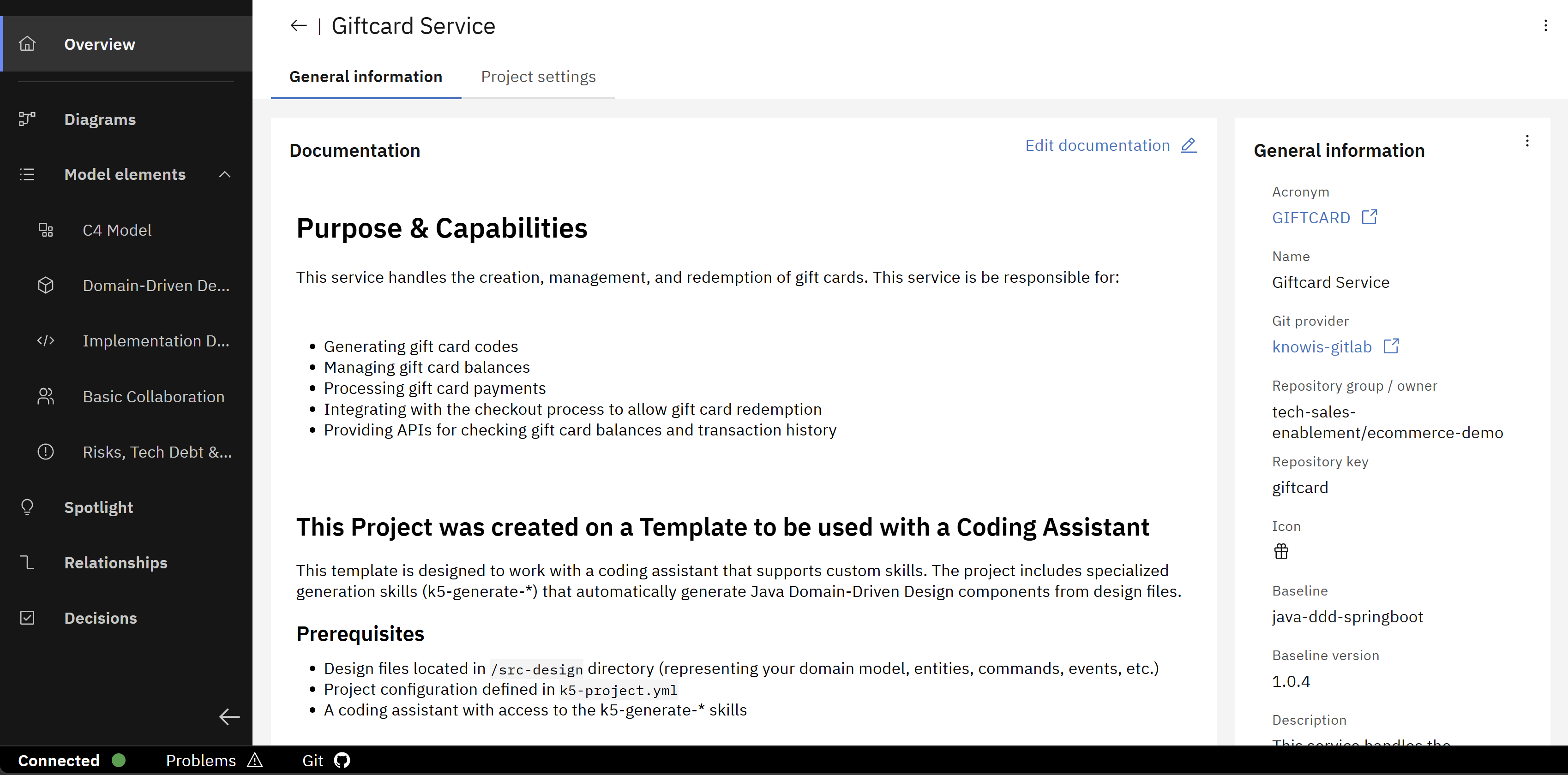
We will use GIFTCARD project to demonstrate a baseline sync and change. The following image shows the project overview including the project baseline.
Furthermore, a .k5recipeignore file with the following content was added manually in the repository root beforehand:
# Do not sync Cursor assistant folders
.cursor
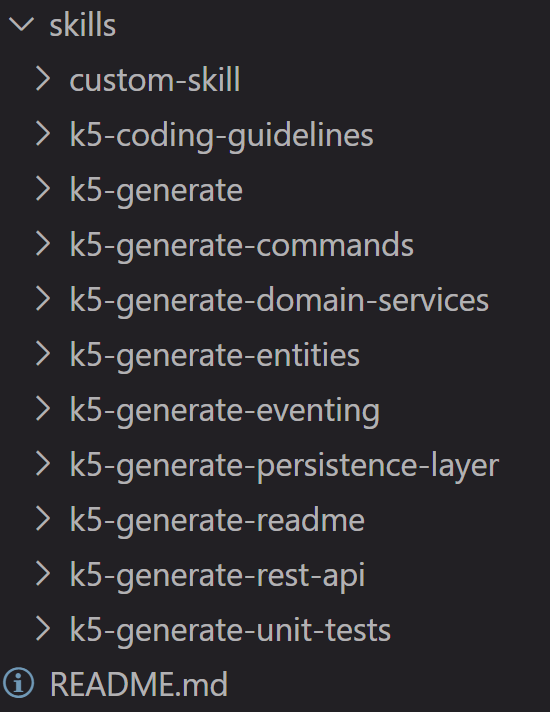
The project baseline supports three coding assistants IBM Bob, Cursor and Github Copilot. For each coding assistant, the repository has a folder that contains the baseline's recipes. Each of the folders have the following structure:
Use case 1: Sync a baseline
Syncing a baseline triggers a commit that updates files in the project's git repository related to the referenced baseline. More concrete, these files are realigned with the baseline uploaded in the Solution Designer. This could be useful for situations where a fresh sync is intended, e.g. local changes to baseline files that are pushed to the git repository should be reverted. More information can be found here.
Steps
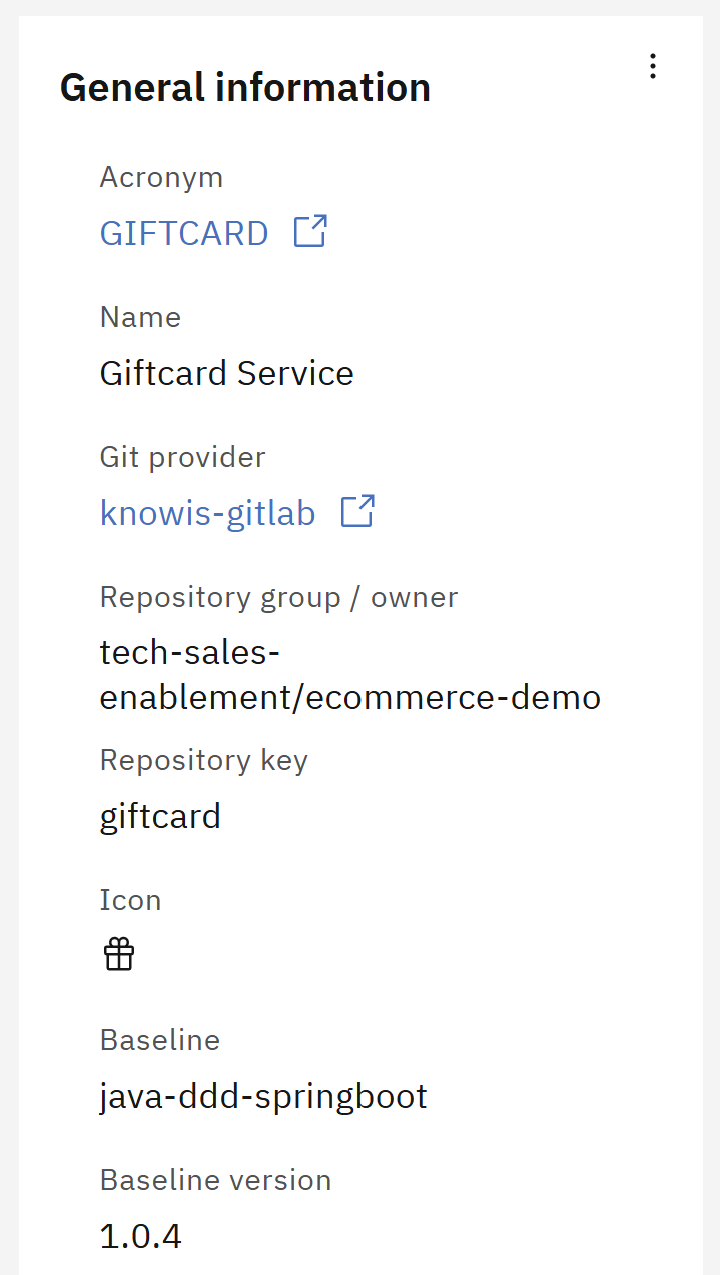
In the project overview, click on the three dots in section "General Information".
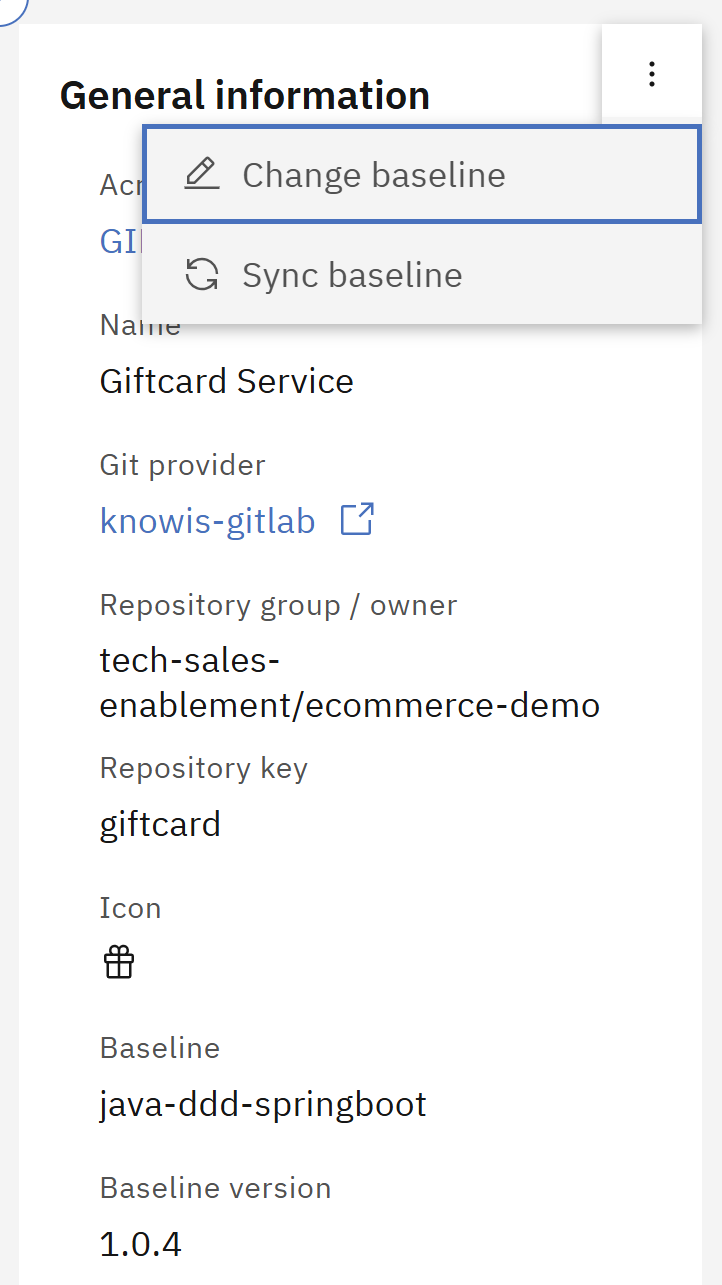
A popover opens with two actions that can be performed. Click on "Sync baseline".
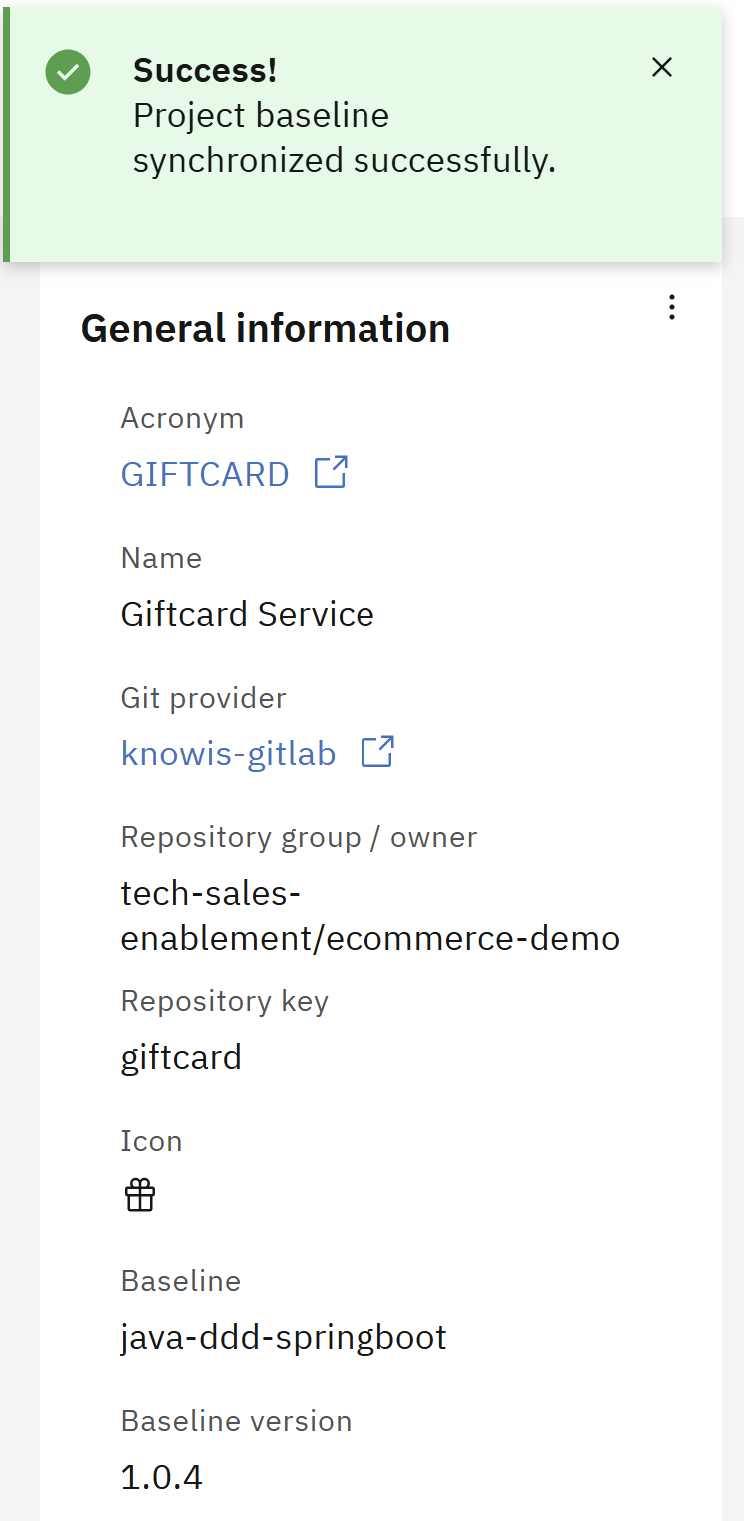
A notification is shown that the baseline is successfully synced.
Effects on the existing project
Syncing a baseline can have an effect on the Coding Assistant recipes in the project repository.
Synced recipe folder for IBM Bob after the sync:
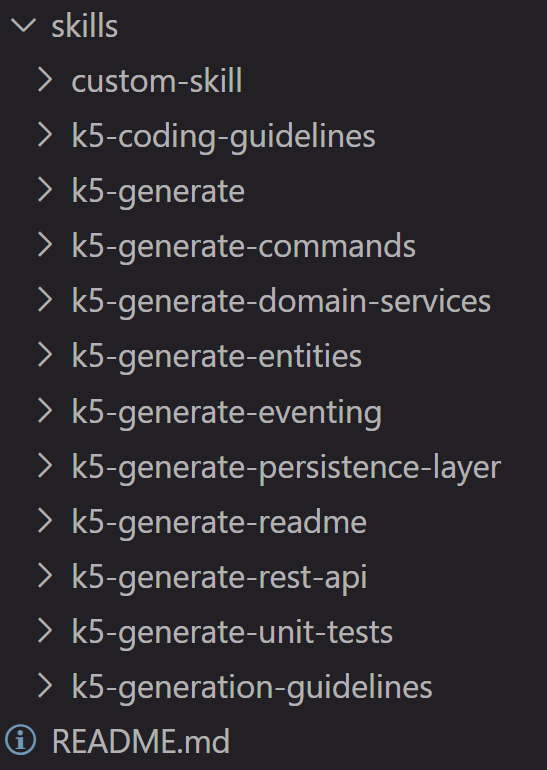
As you can see, the folder structure has changed.
It was synchronized with the baseline's recipe folder, while preserving custom recipes (folders not prefixed with k5-).
The same applies to the Github Copilot recipe folder.
Synced recipe folder for Cursor after the sync:
The Cursor recipe folder was not changed at all during the sync because it is listed in the .k5recipeignore file.
Use case 2: Change a baseline
The set of modeling profiles, coding assistant recipes and design recipes that are available in a project are dependent on the referenced baseline. Changing a baseline potentially modifies these sets and consequently the provided capabilities of a project through a baseline. Performing a baseline change triggers a commit that aligns the baseline-related files in the project's git repository related to the new baseline. Furthermore, the Graphical Design inside the Solution Designer is aligned to the new baseline. This could be useful for situations where new capabilities or fixes to existing capabilities in a project are intended, e.g. by increasing the baseline version. In this example, we change the baseline to switch the technology stack (from Java Springboot to Python FastAPI). More information can be found here.
Executing a baseline change might lead to breaking changes in the project. It is recommended to create a backup of the project before changing the baseline by e.g. creating a new branch.
Steps
In the project overview, click on the three dots in section "General Information".
A popover opens with two actions that can be performed. Click on "Change baseline".
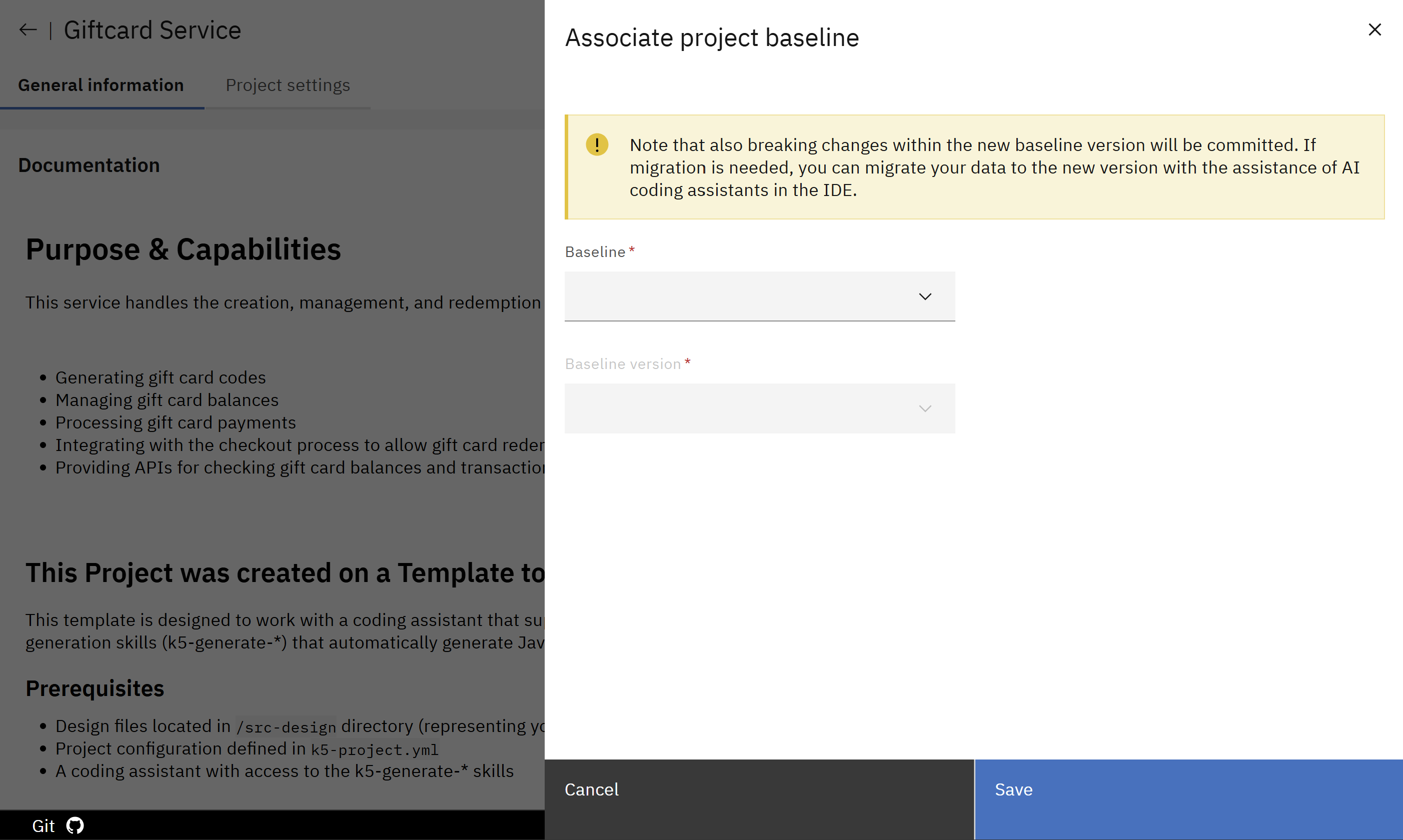
A modal opens where the new baseline can be selected.
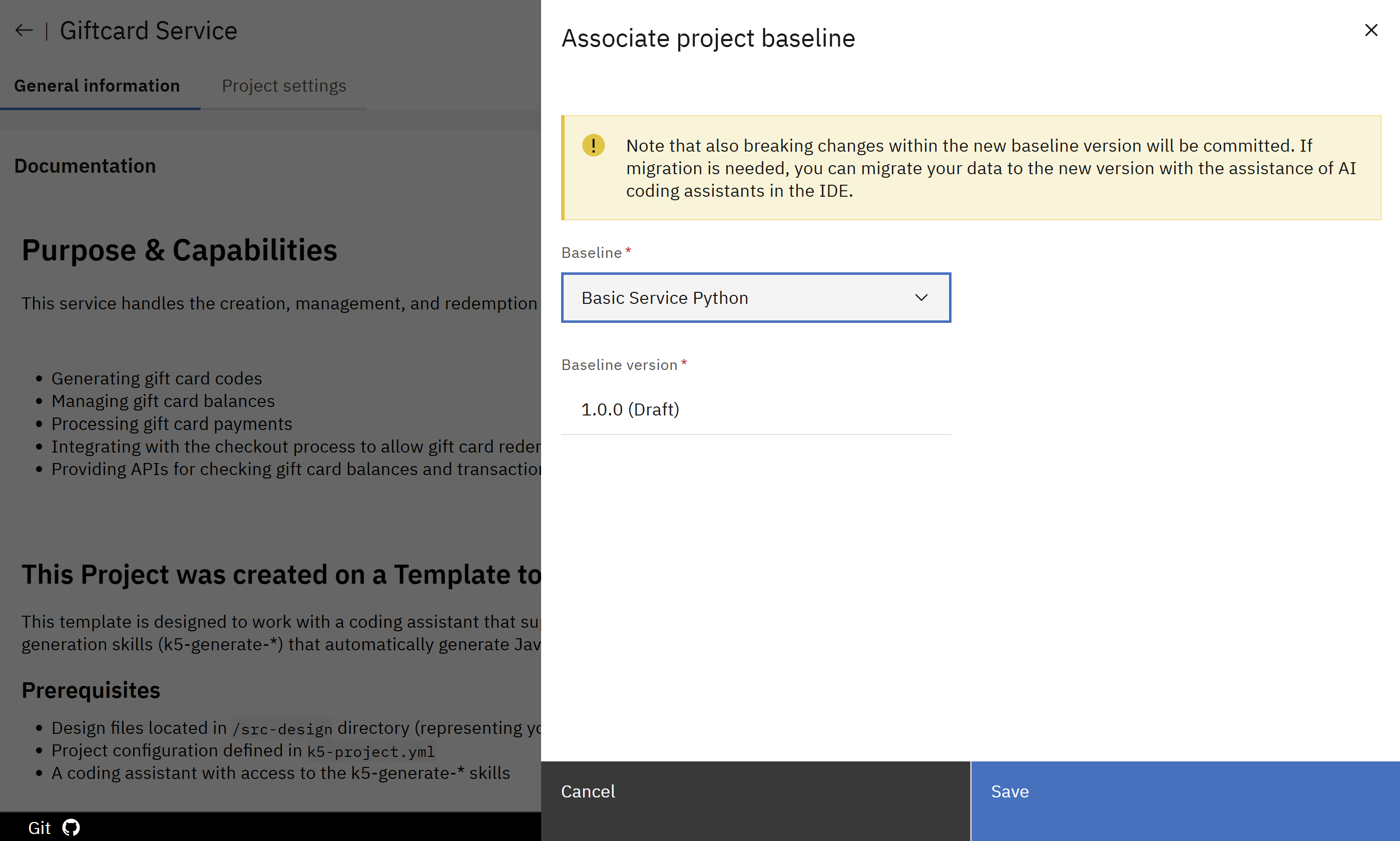
Select the new baseline from the dropdown alongside an available version and then click on "Save".
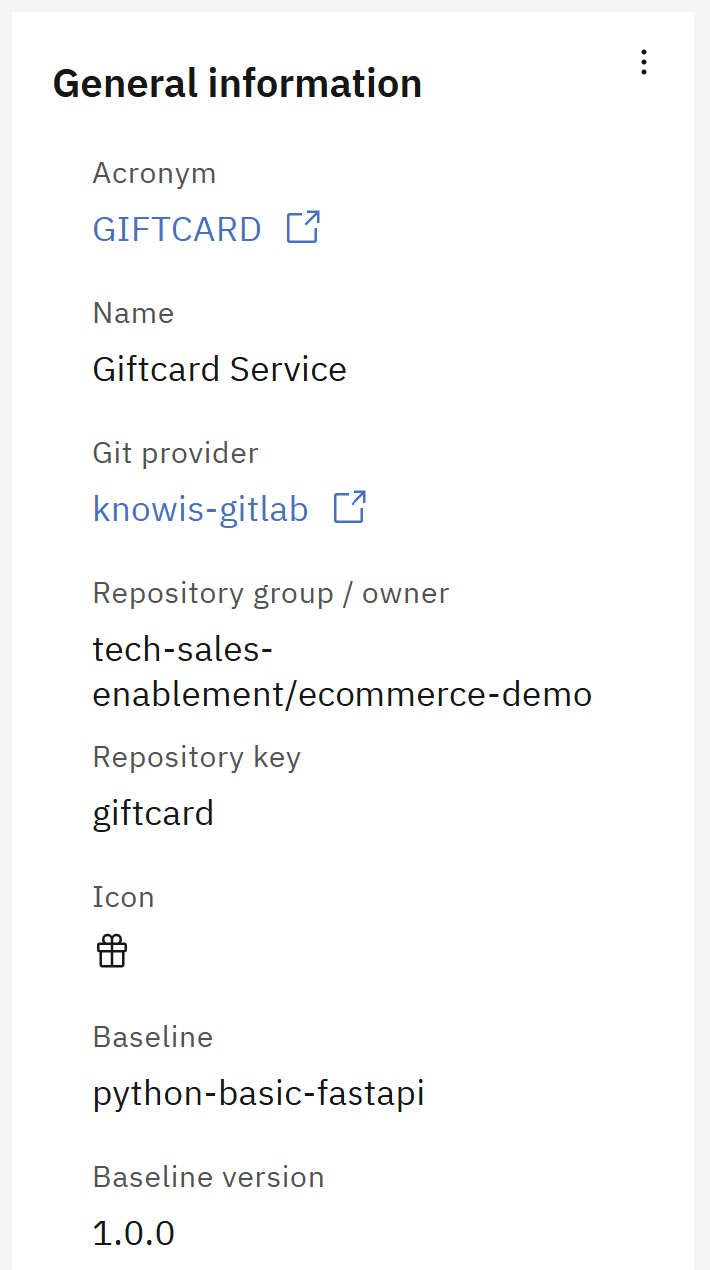
In section "General Information" in the project overview, the new baseline is displayed.
Effects on the existing project
Like mentioned above, changing a baseline can have an effect on the available coding assistant recipes, the modeling profiles and design recipes of the project. Exemplary, the effects on the coding assistant recipes and on the modeling profiles are shown below.
Effects on Modeling Profiles and using the Graphical Design feature
The new baseline might contain different modeling profiles (added, changed or removed) compared to the previous one. In this case, the baseline does not include the OML profile "Risks, Tech Debt & Health", which is shown in the image below. So this profile is removed from the overview of modeling profiles and also from the left sidebar. This means model elements tied to this profile are no longer reachable from the model element list. Furthermore, no new model elements of types tied to this profile can be created in the project anymore.
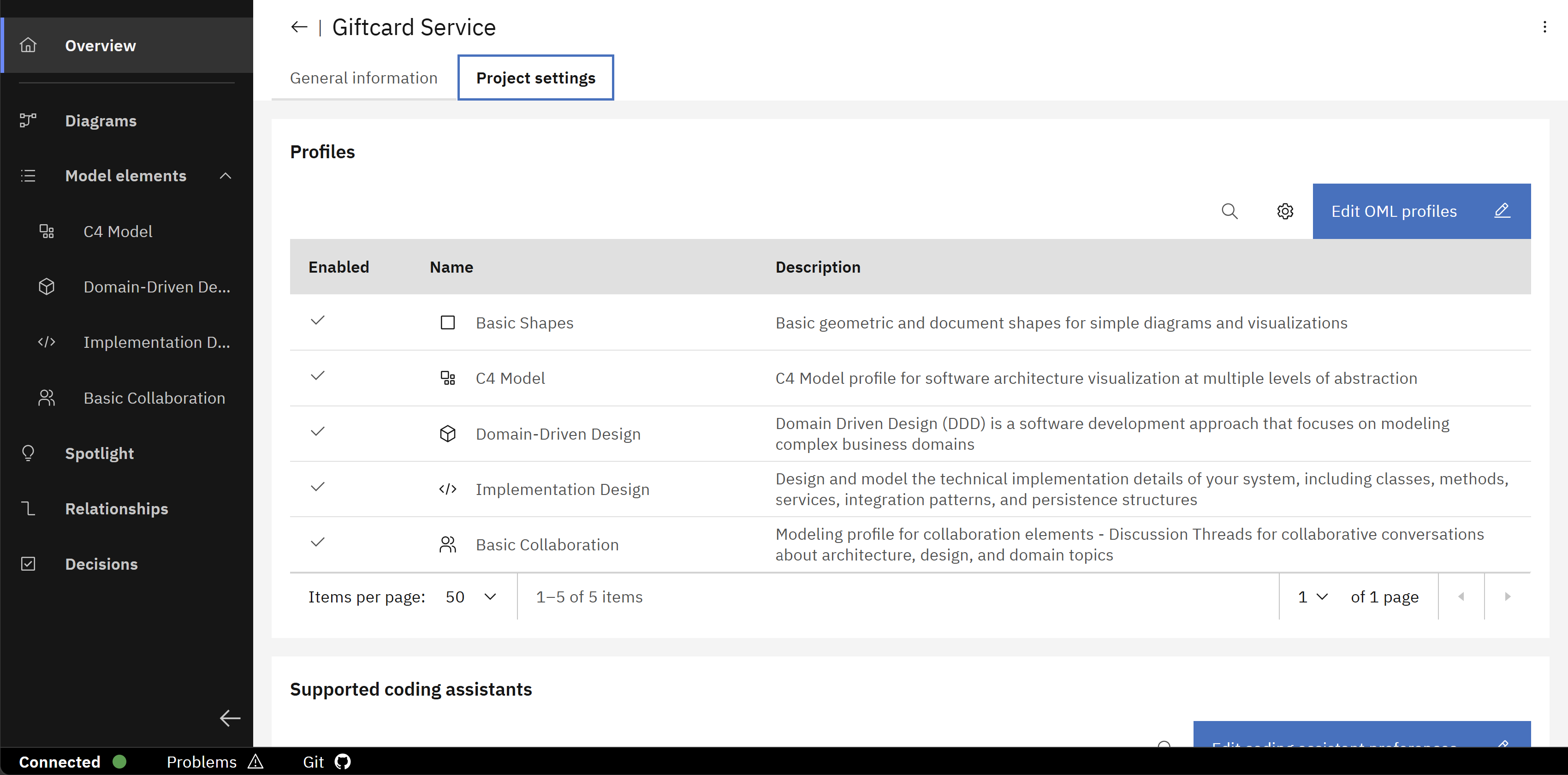
The image displays the modeling profiles of the project after the baseline change.
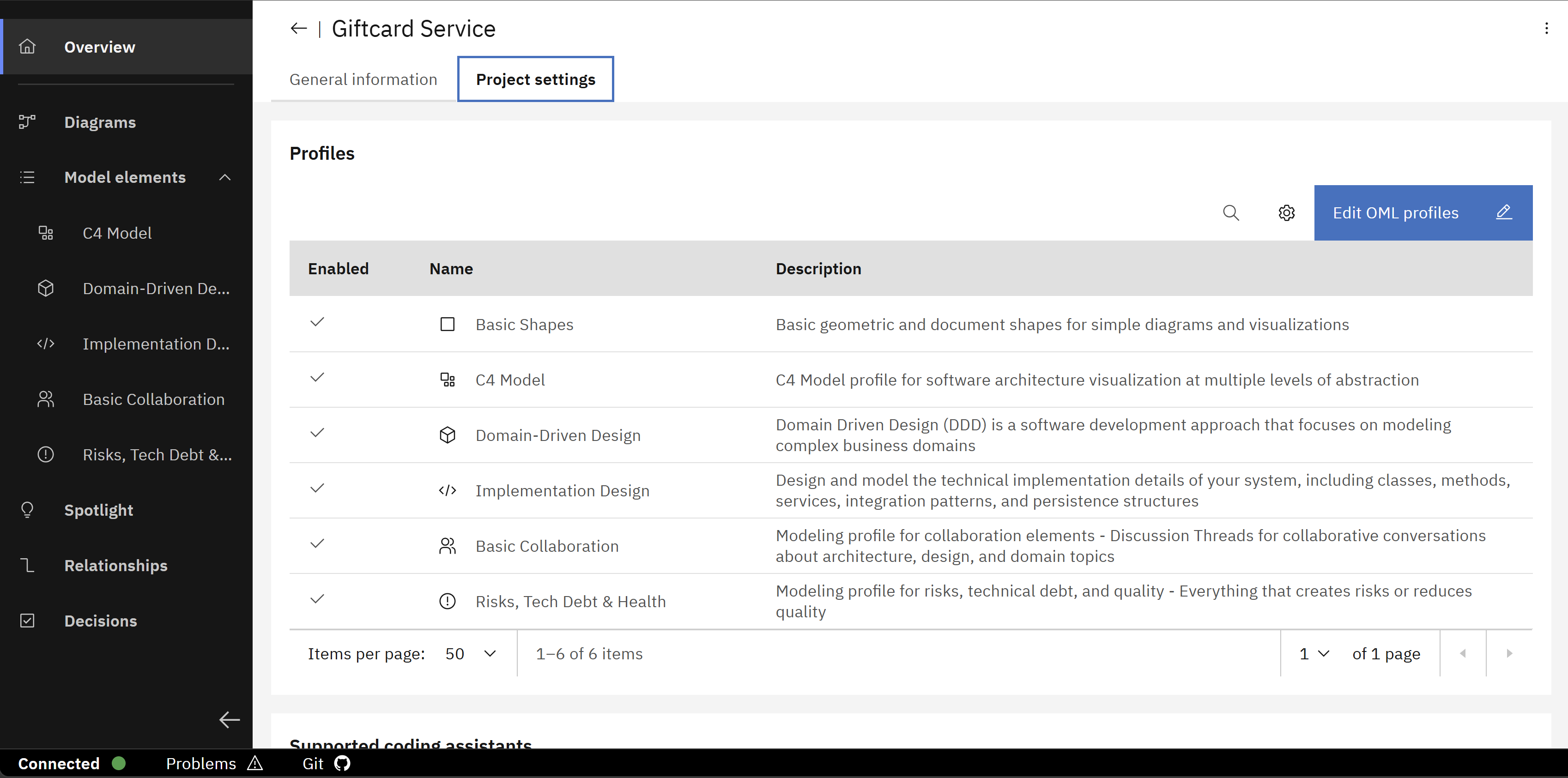
And in comparison, here are the modeling profiles of the project before the baseline change.
Diagrams that contain model elements tied to removed profiles are also affected by the baseline change, which is shown in the image below. The model elements are still displayed in the diagram, but the reference to the model element type is lost. This means that the model elements cannot be used in new diagrams. In this case, the diagram still contains the model elements from the "Risks, Tech Debt & Health" profile, but they are only displayed as basic model elements with no type-specific information.
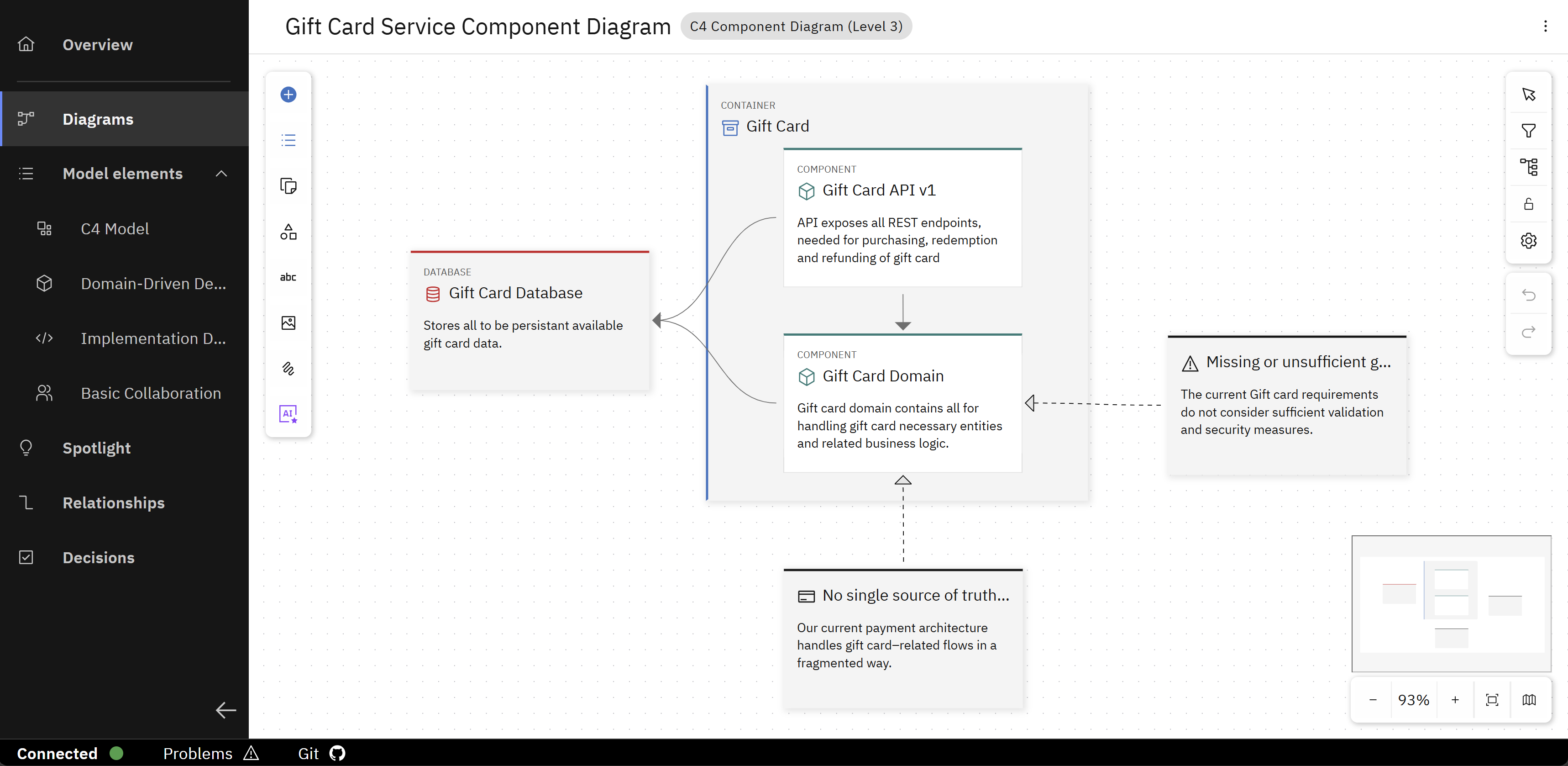
The image displays the diagram of the project after the baseline change.
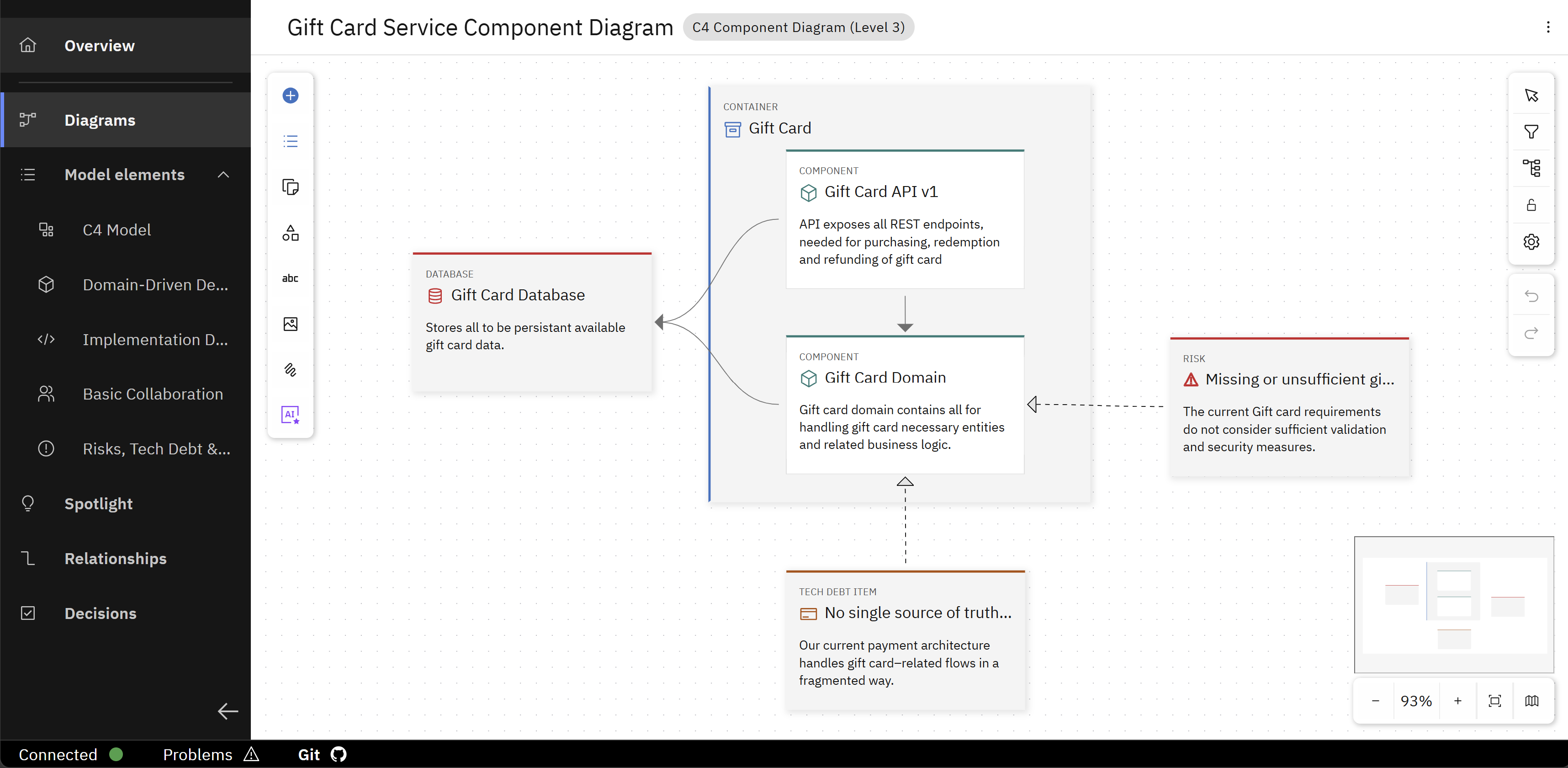
And in comparison, her are the diagram of the project before the baseline change.
Effects on Coding Assistant Recipes
Recipe folder for IBM Bob after the baseline change:
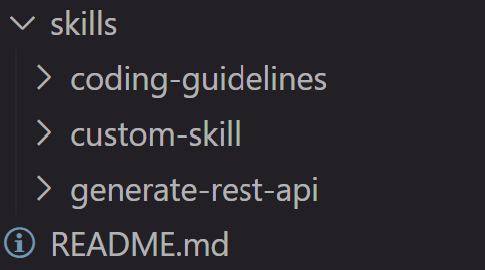
As you can see, the folder structure has changed.
It was synchronized with the new baseline's recipe folder.
Like in the sync use case, user-managed recipes (folders not prefixed with k5-) are preserved, while system-managed recipes (folders prefixed with k5-) are altered.
The same applies to the Github Copilot recipe folder.
Recipe folder for Cursor after the baseline change:
The Cursor recipe folder was not changed at all during the sync because it is listed in the .k5recipeignore file.
You have successfully changed and synchronized a baseline in an existing project. You have also learned how to customize the behaviour of syncing and changing baselines and these actions affect the project.