Idea to Spec
Overview
A business brief is decomposed into motivation, business and application layer in ArchiMate by refining the requirement step-by-step with the help of pre-defined Design Recipes.
- Free-text input turned into structured Motivation-layer model elements (Driver, Goal, Outcome, Requirement, Constraint) via the Design Assistant
- Cross-layer generation: Motivation layer used to generate a Business layer, with traceability preserved back to the source
- Every automated change explained in plain language and held for explicit Confirm/Reject before being applied
- Can connect to the Enterprise Pain (Bootstrap a Service) Demo Block
This scenario proves Workbench's promise end to end: requirements can be broken down, step by step, all the way to a spec - in the customer's own modeling language, here, ArchiMate — and that spec alone is enough to bootstrap a full service. The breakdown itself isn't manual: the Design Assistant automates it through Design Recipes that already know the structure of that modeling language.
Narrative
Stage 1 — From an unstructured brief to a standardized Motivation model
This part runs in its own demo project — GIFTCARDARCHI ("Gift Card Service - Archimate"), not the standard GIFTCARD project used later in Stage 2 or in Enterprise Pain. It's built specifically to demonstrate this ArchiMate-based flow.
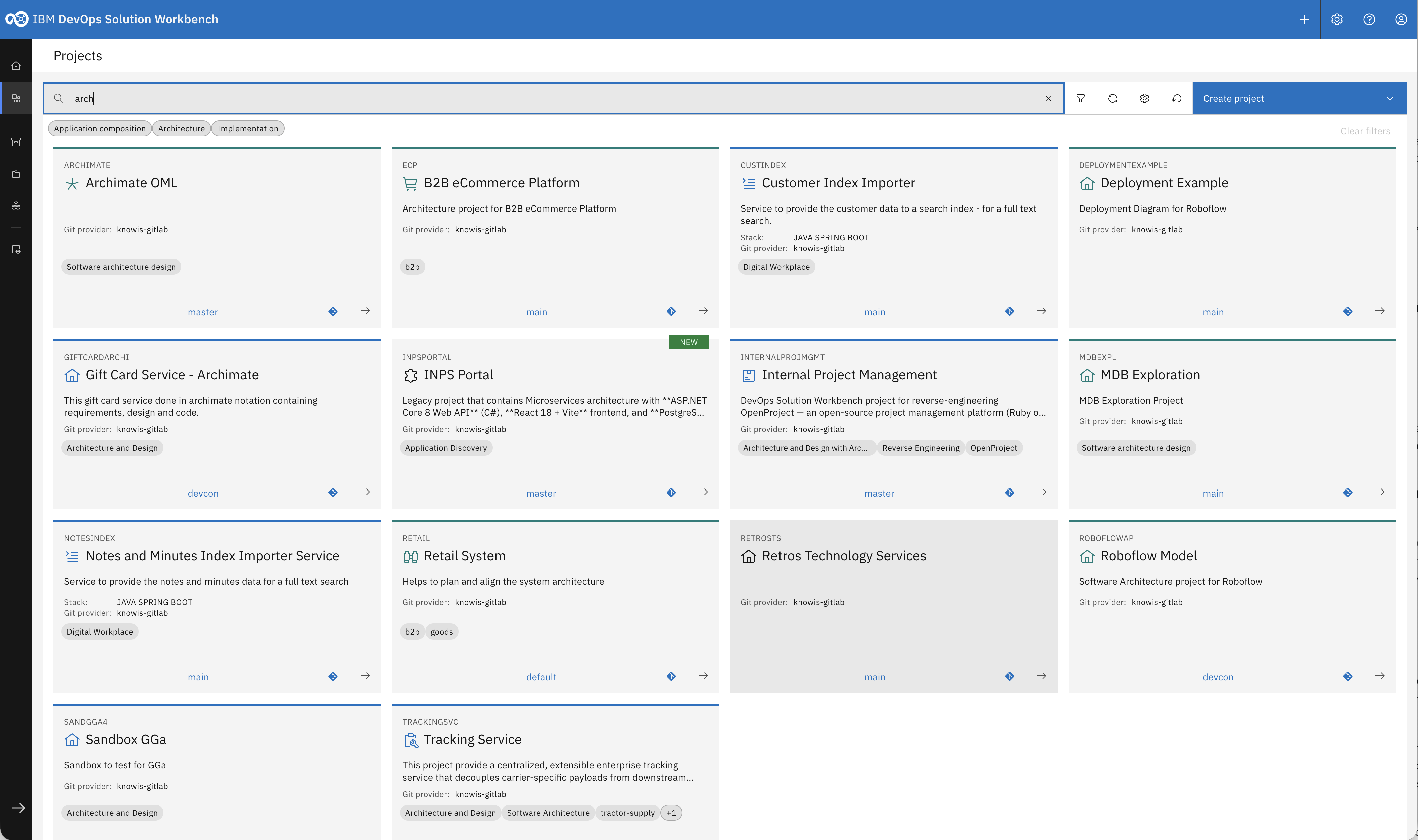
Search Projects for "arch" to locate it.
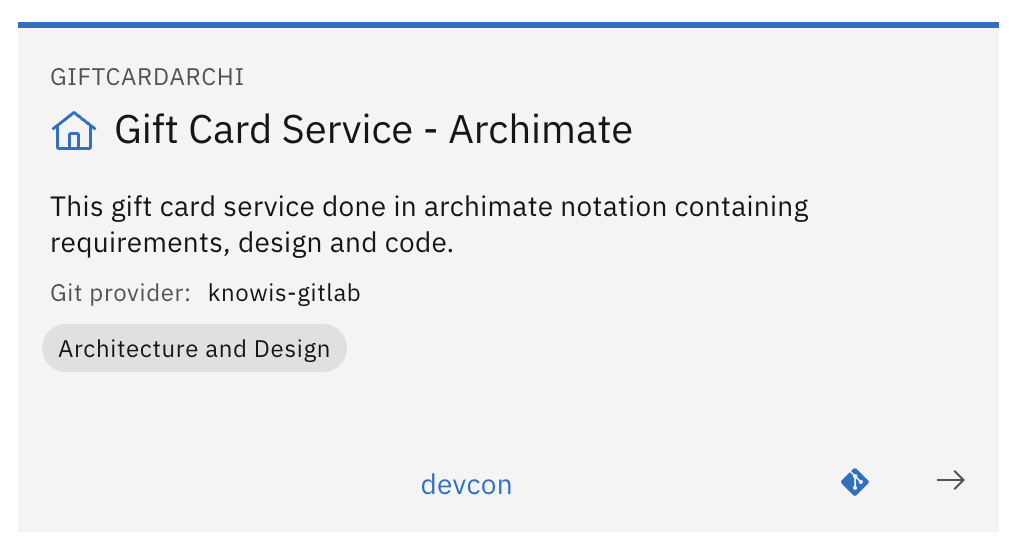
Open "Gift Card Service - Archimate" (GIFTCARDARCHI) — tagged Architecture and Design.
GIFTCARDARCHI uses its own Project Baseline. This baseline contains the ArchiMate OML profile and connects design recipes to specific element types — for example, the "Refine motivation" action seen below.
This is the same Design Recipe mechanism covered in Extend Your Design Through Conversation.
If you want to reuse this part of the scenario elsewhere, the target environment needs an equivalent baseline attached before this flow works as shown.
This particular flow is configured per organization, not fixed by the tool: this project uses ArchiMate's Motivation → Business → Application → Technology layers. A dedicated Business layer is only useful when a real business layer of people sits between the requirements and the architecture. Smaller teams, where the same person plays both roles, typically skip straight from Motivation to Application. Some organizations run this in reverse for modernization work, starting the Motivation layer from an as-is inventory of an existing system (procedures and tables in a legacy mainframe application, for example) before mapping forward to what should replace it.
Open an empty canvas and add the existing model element "Giftcard Motivation Brief" to it. Right-click --> "Visualization" --> Textual. The unstructured business input — deliberately closer to a real opportunity brief than a formal requirement — is added as a Discussion Thread element, not yet modeled as anything more structured.
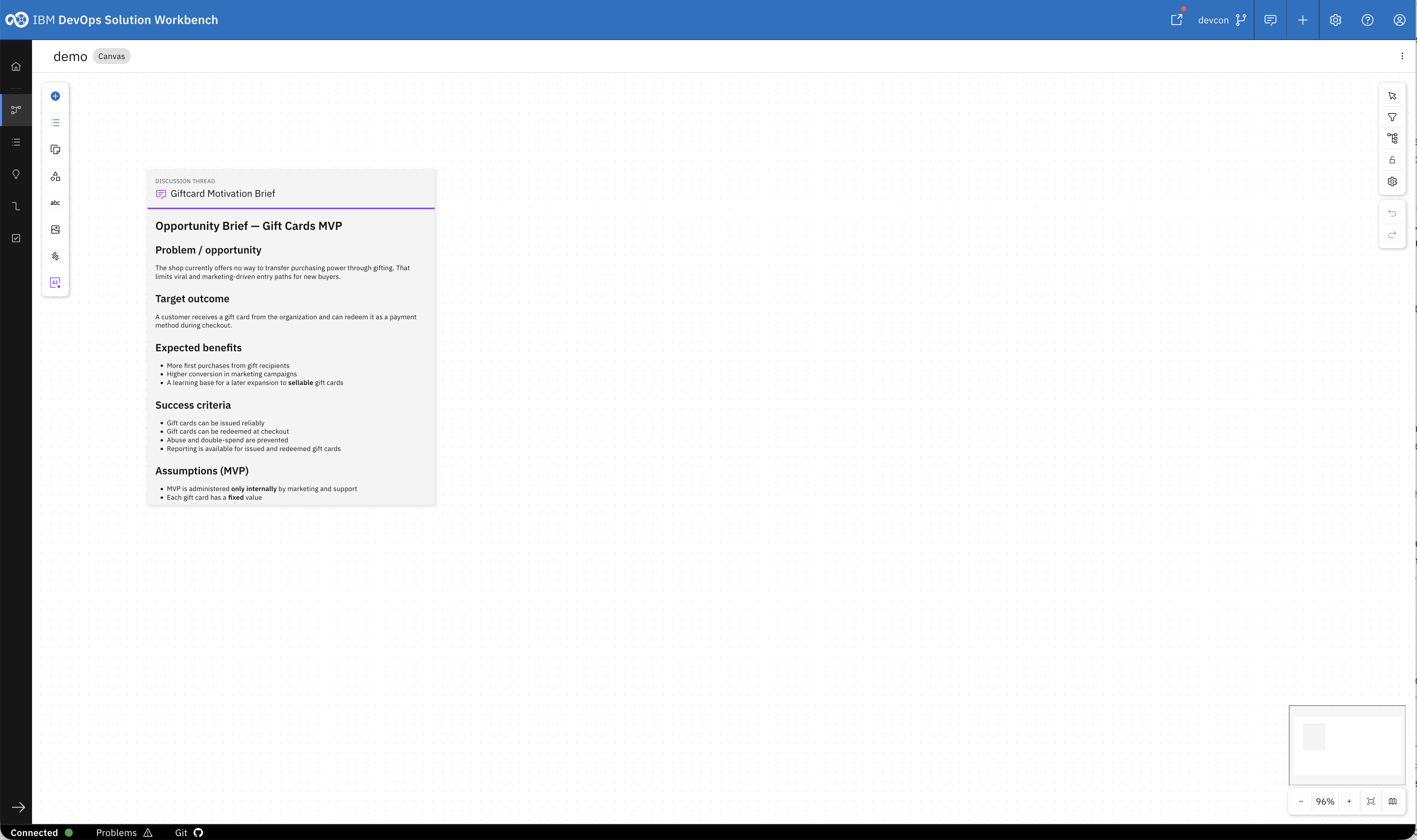
The brief sits on the canvas as a Discussion Thread — "Giftcard Motivation Brief" — containing the problem/opportunity, target outcome, expected benefits, success criteria, and MVP assumptions in plain prose.
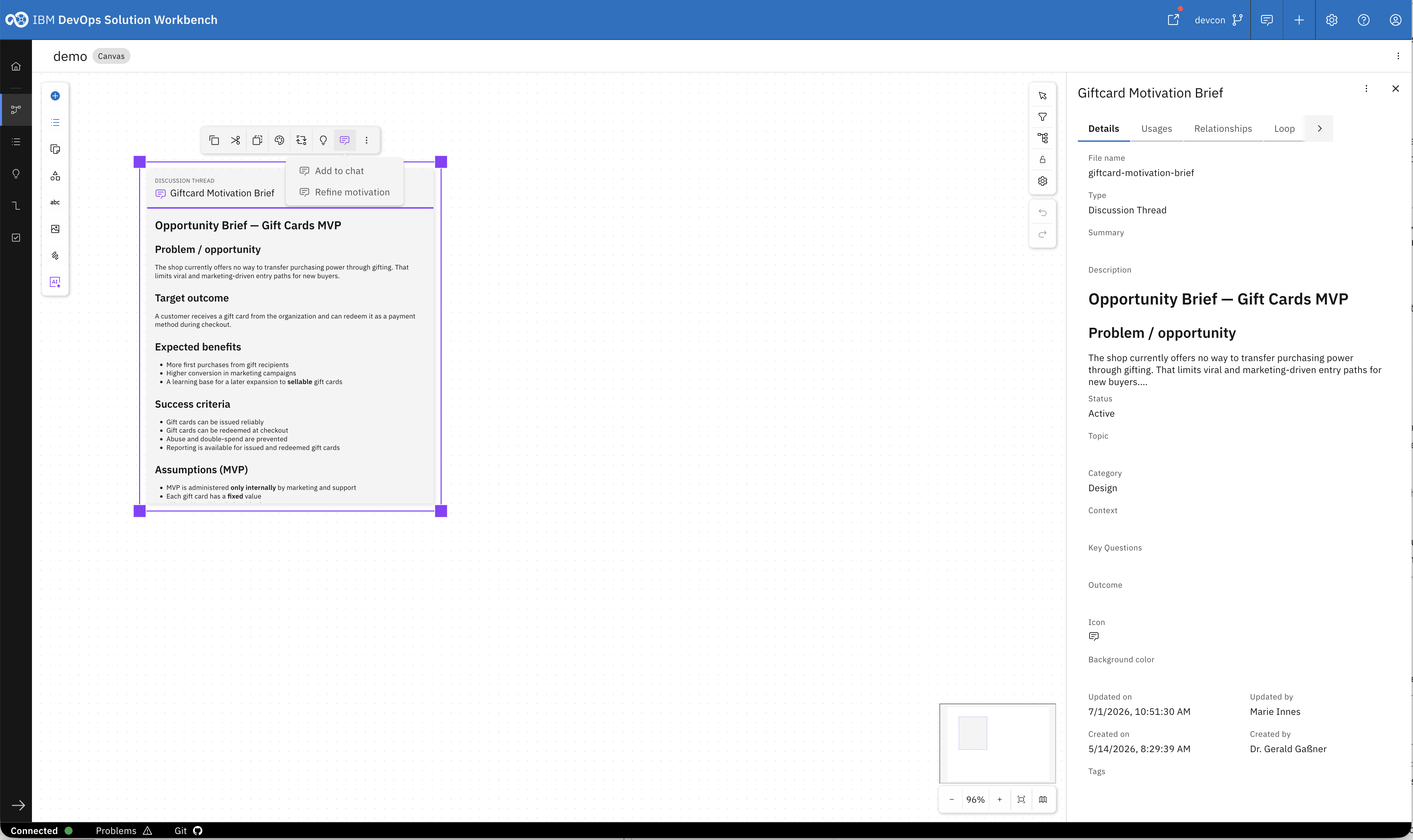
Selecting the element surfaces element-specific actions, including "Refine motivation" — the Design Recipe this element type carries.
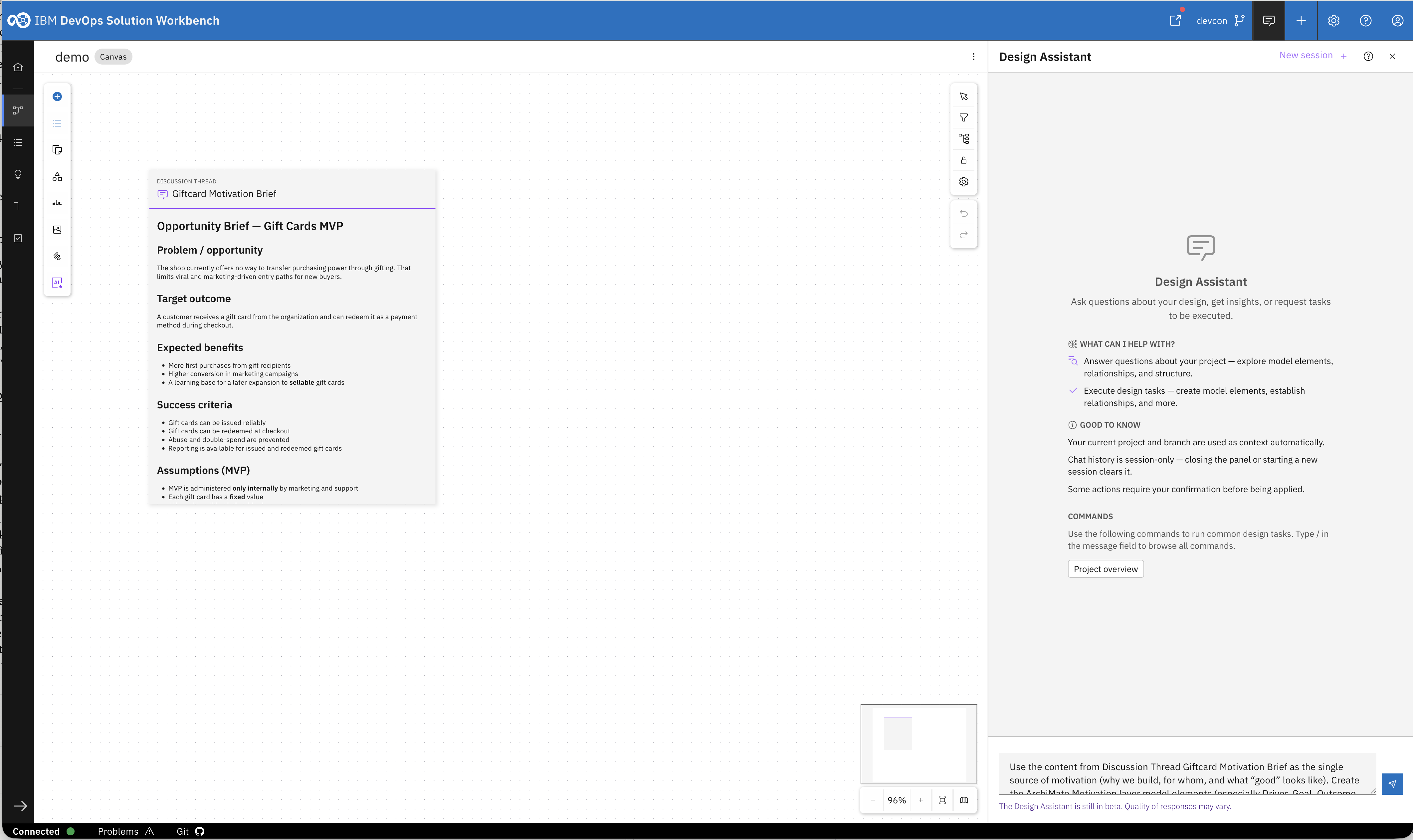
Selecting the "Refine motivation" command opens the Design Assistant with the context of the model element and the configured prompt: Use the content of the brief as the single source of motivation and create the ArchiMate Motivation layer elements (Driver, Goal, Outcome, Requirements, Constraints) and their relationships, split summary vs. description, and tag everything "Motivation."
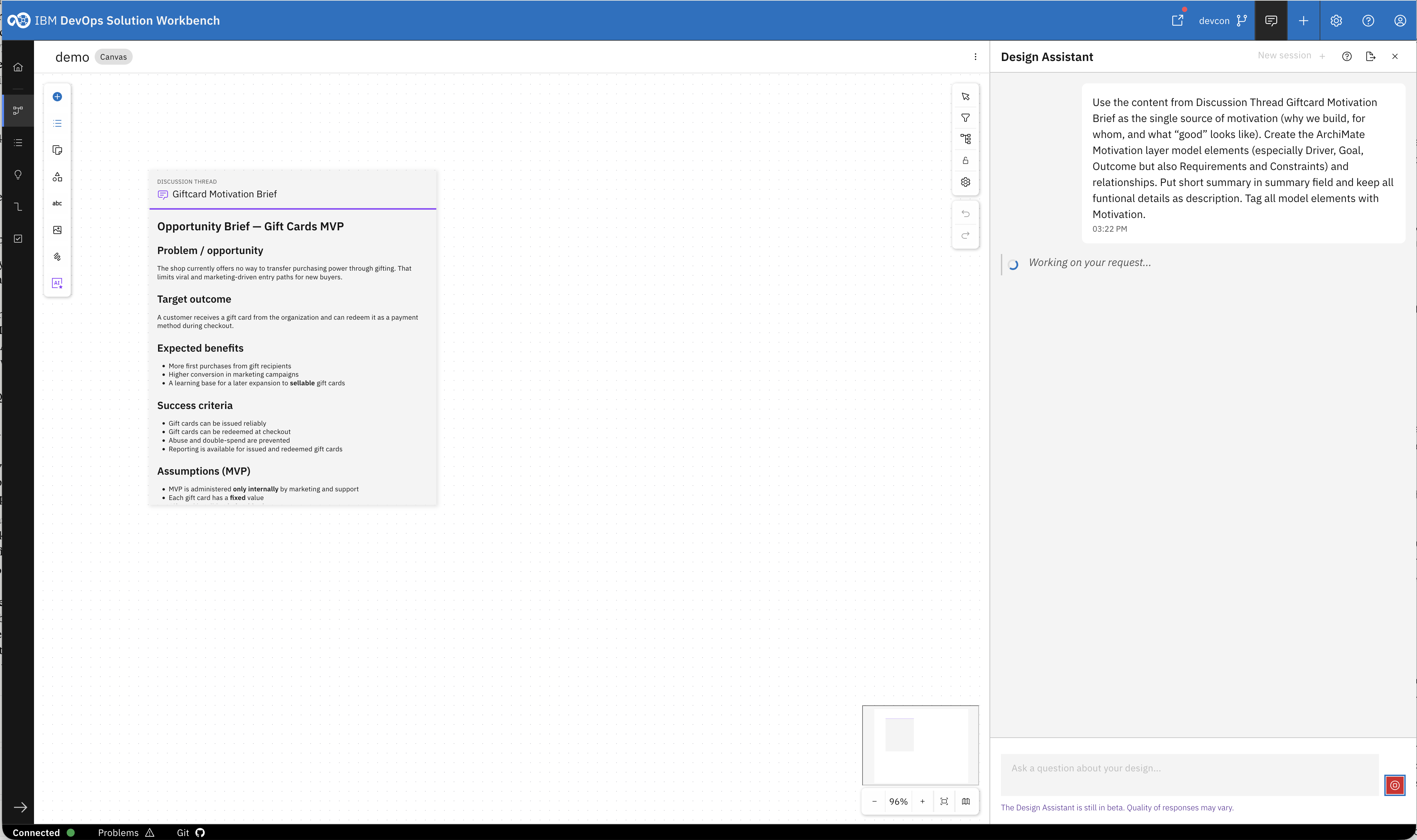
The assistant starts working.
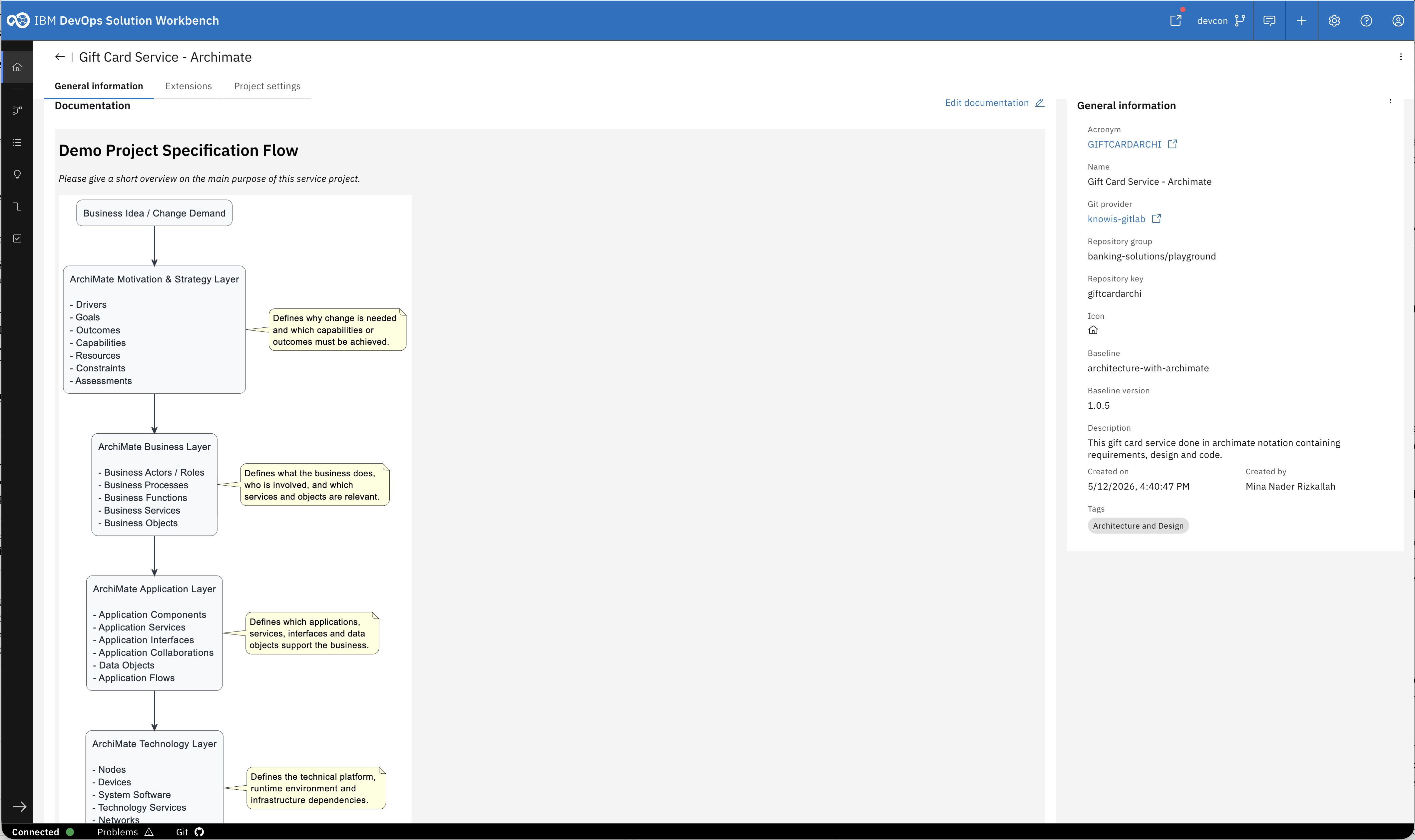
While it works, explain the flow rather than watch a spinner — the project's own overview page documents exactly what's happening: Business Idea/Change Demand → ArchiMate Motivation & Strategy Layer → Business Layer → Application Layer → Technology Layer.
Refer to the General Information panel on the right to explain that this project runs on its own architecture-with-archimate Project Baseline.
Then come back and confirm — and watch the elements appear live.
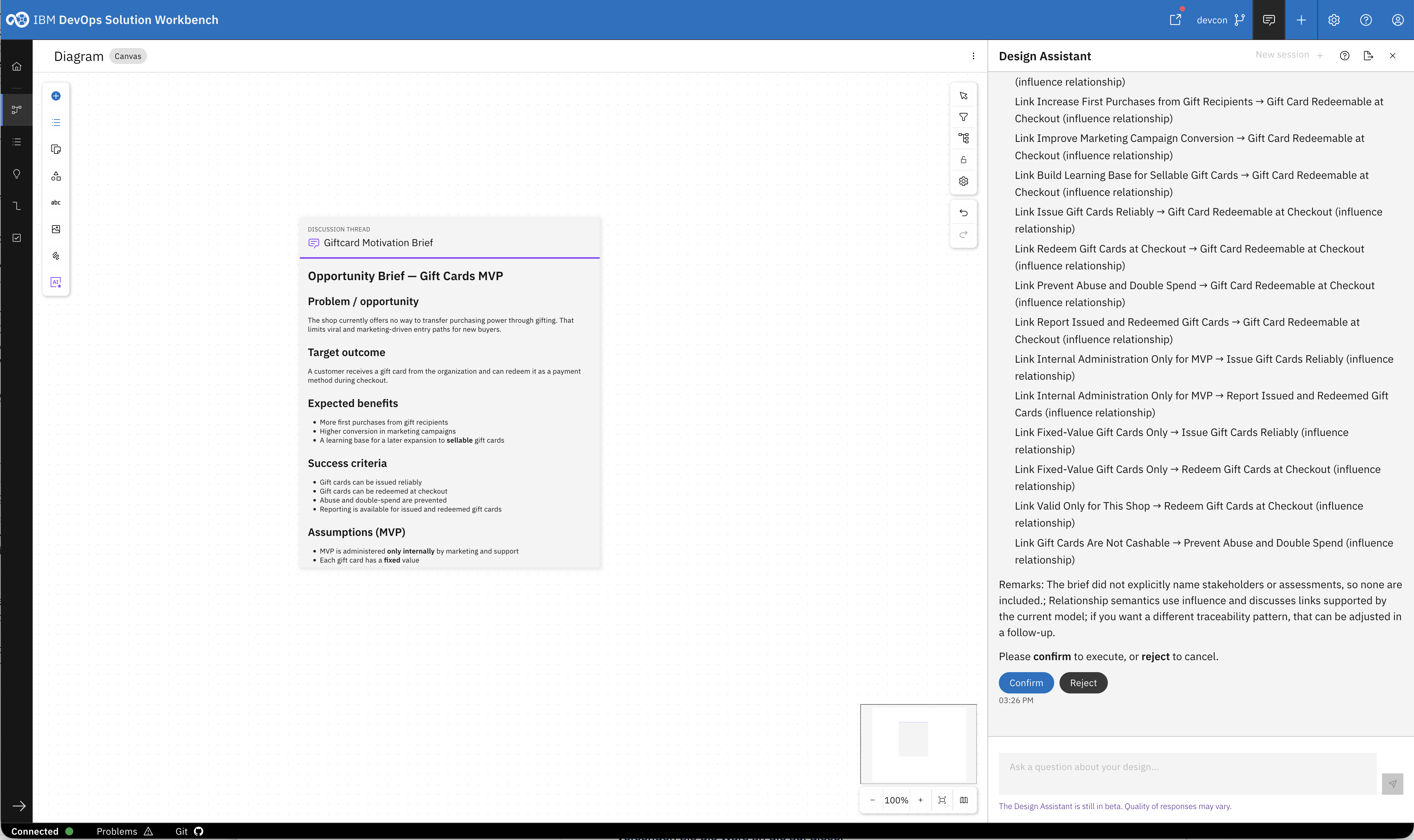
Before creating relationships, the assistant states its reasoning in plain language — e.g. no Stakeholder elements because the brief never named any — and waits for an explicit Confirm or Reject. Nothing is applied silently.
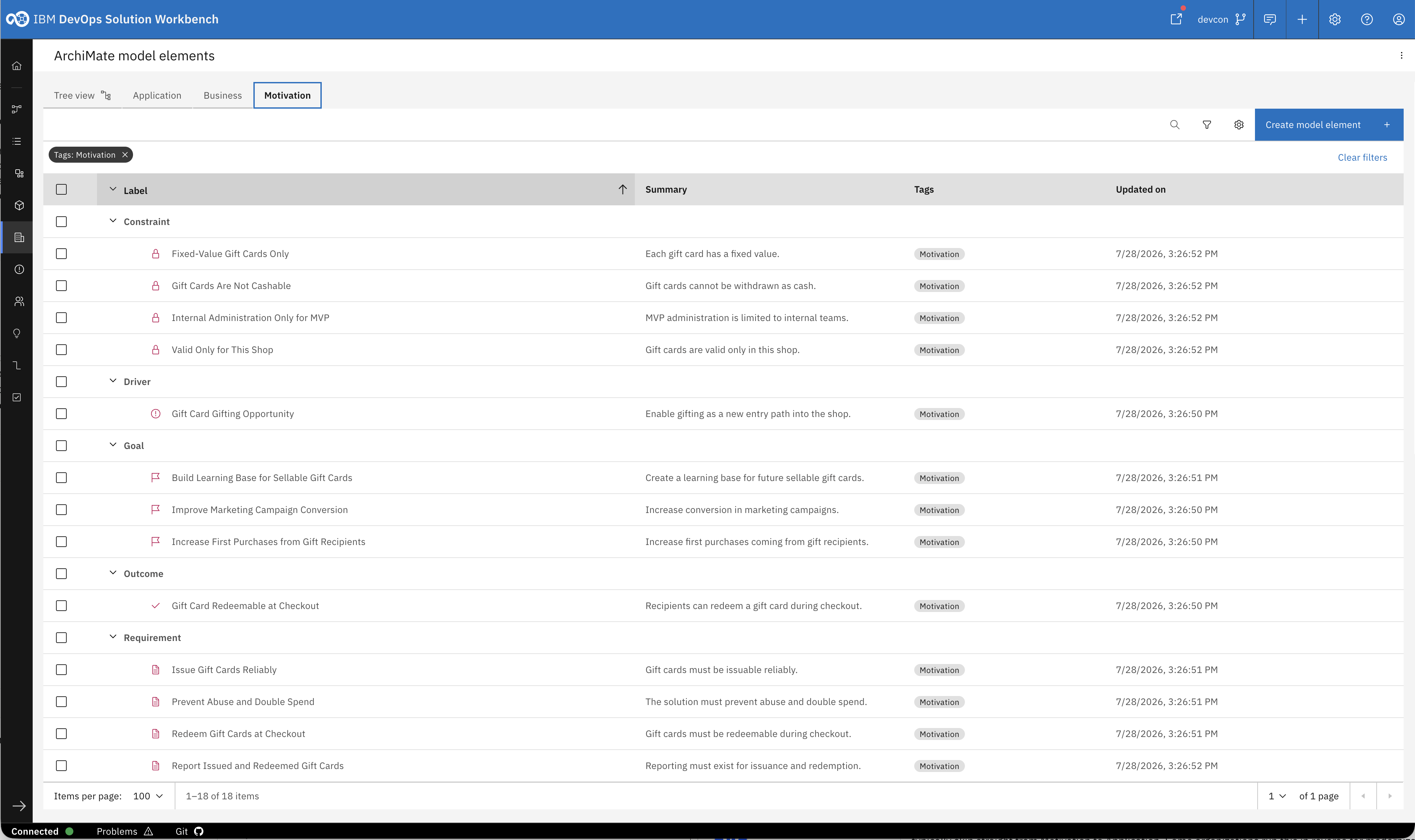
Confirmed — the Motivation-layer elements now exist and are filterable by the Motivation tag: Drivers, Goals, Outcomes, Requirements, Constraints.
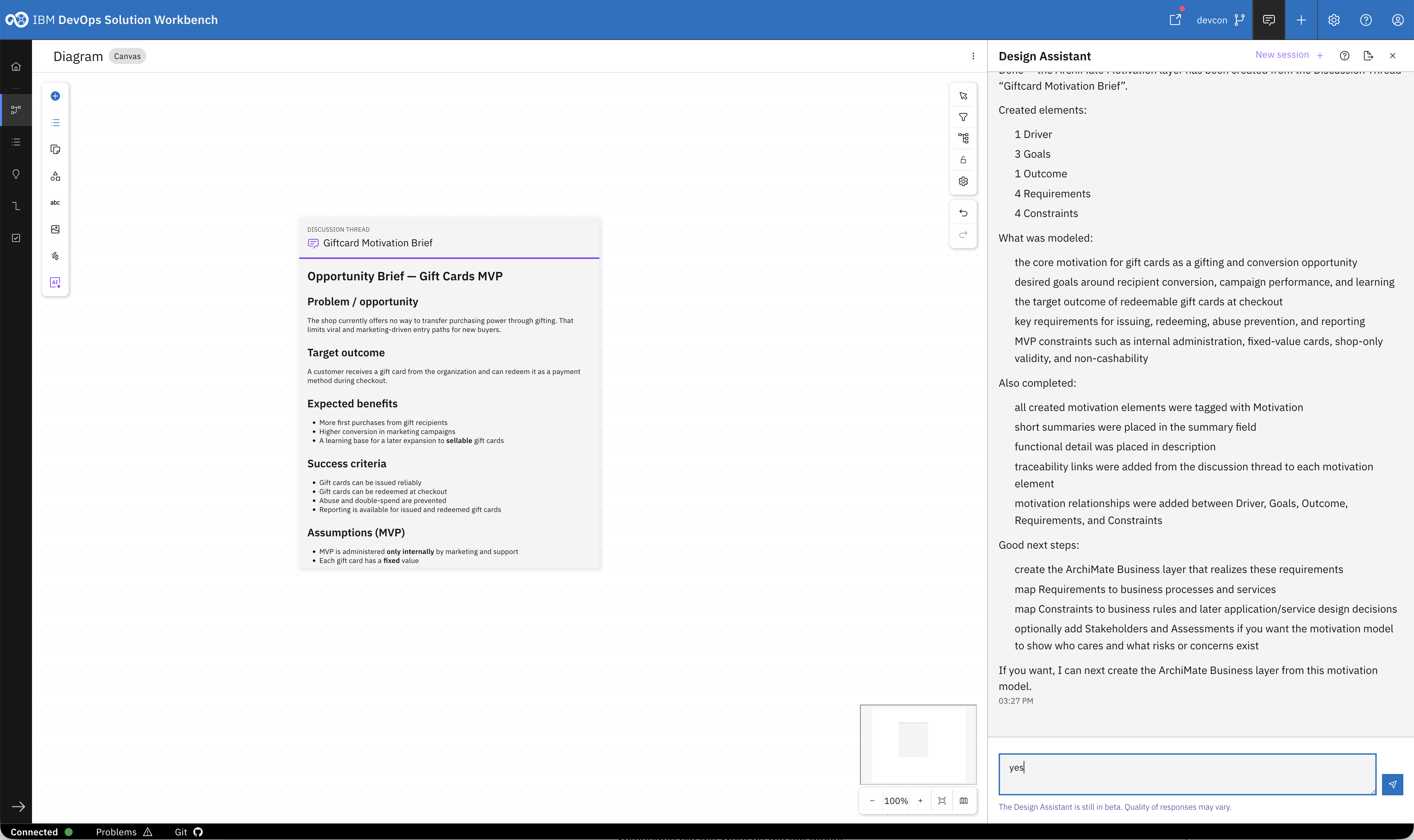
A completion summary (1 Driver, 3 Goals, 1 Outcome, 4 Requirements, 4 Constraints — tagged, with traceability links back to the source brief), followed by the assistant's own suggested next step: generate the Business layer from this motivation model. Confirmed with a simple "yes."
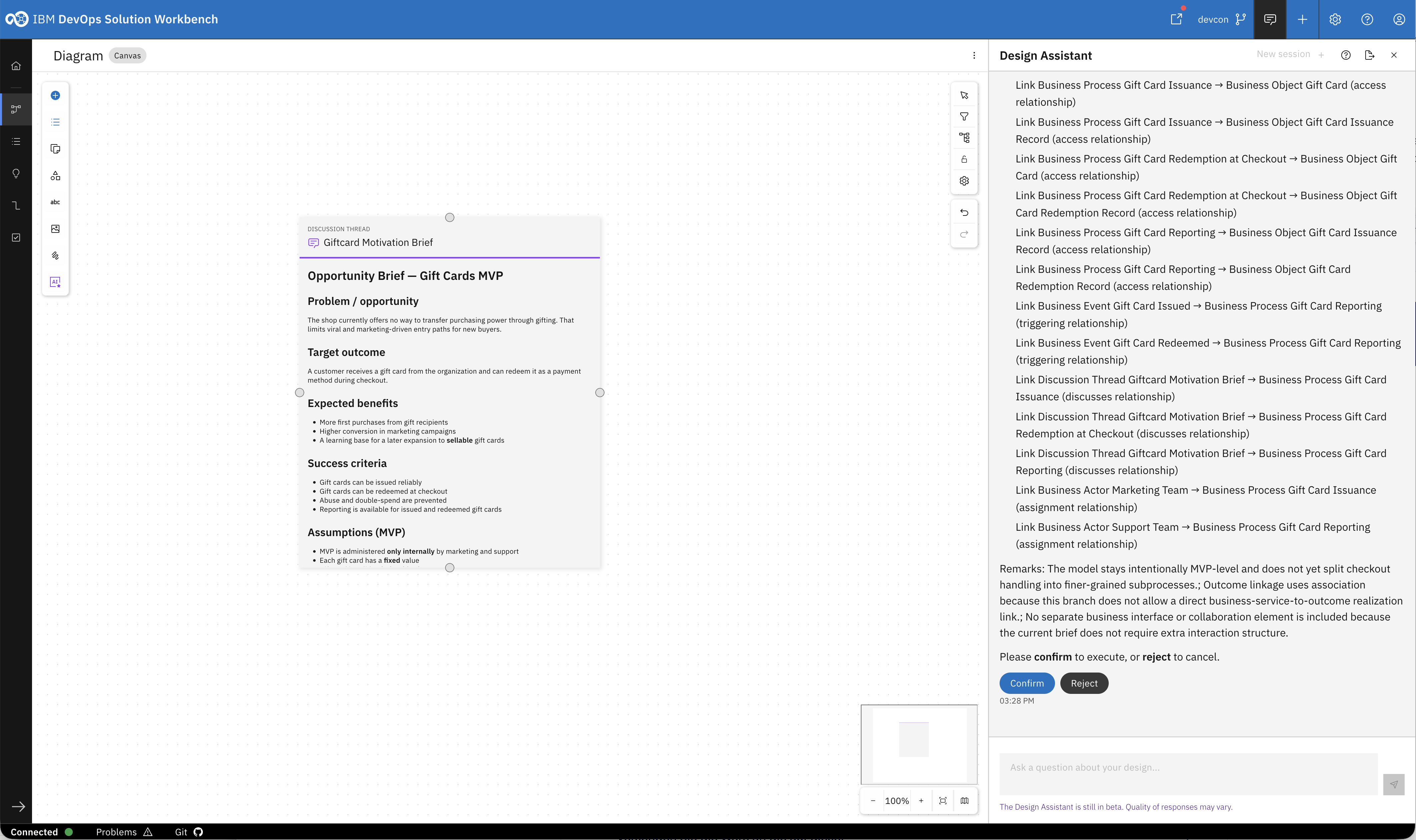
The same confirm-before-applying pattern repeats one layer up: Business Process, Business Object, and Business Event relationships are proposed with reasoning, awaiting Confirm or Reject.
This traceability matters specifically because of what happens later: when something changes, you need to know what else it touches.
You could note that the same information, if it lived only as markdown files handed to a coding assistant, would eventually exceed the context window on a large enough project and start dropping dependencies silently — the design graph exists specifically so agents can do that bookkeeping instead of the context window.
Running an entire layer end-to-end in one shot, as shown here, is a demo simplification for time. In practice, work happens element by element: translate one requirement into the business layer, review it as a team, decide if anything's missing, then move to the next. The same applies in reverse — a correction found deep in the model doesn't mean regenerating everything above it. You go to the specific element, tell the Design Assistant what needs to change, and ask it to propagate the fix up or down the chain from there. The tool is teaching the framework an organization's design methodology once; after that, the assistant can apply it in either direction, with the organization retaining full control over what happens automatically and what doesn't.
Stage 2 — From design to a generated service
The next stage uses the standard GIFTCARD project — the same one used in Enterprise Pain / Bootstrap a Service demo. Generation runs against that project's Java/Spring Boot baseline.
Switch personas from architect to developer, working with the coding assistant directly. Ask it a plain question about business logic that's already captured in the design — for example, what a specific command actually does — and show that the answer draws correctly on multiple connected design documents, not a single pasted file.
Explain the mechanism behind that verbally — committing in Workbench writes every relevant element into a src-design folder optimized for a coding assistant to read, show the model element and the commands that the baseline
delivered via its recipes.
On an intentionally empty codebase (freshly cleaned, design only, nothing implemented), run a single k5-generate command. This is the same underlying idea as
Bootstrap a Service from a Shared Design Model and the Enterprise Pain block — a fully-designed, empty project turned into a complete service via one command.
This is not a single prompt in the vibe-coding sense — it's a chained recipe that plans and then executes a full sequence: create the entities, the persistence layer, the domain commands, the domain services, expose the REST APIs, update the README, create unit tests, run them, and start the service. Each step is governed by a policy attached to the design — for example, a business event always means a specific messaging technology, with a specific retry count, applied the same way every time — so the result is doing the right thing at every step, not just producing a plausible-looking result once.
Because a full live run takes 15-18 minutes, have a previously completed run ready in the history to open and walk through instead of waiting live.
k5-generate in one uninterrupted shot is a preview of where things are headed, not the recommended way to work today — the unit of work and the review burden are both too large for anything but a genuinely greenfield service.
In practice, this gets broken into several prompts with a natural checkpoint between each (project setup, then persistence, then APIs, and so on), or the assistant is explicitly asked to insert its own review step between phases.
For brownfield work, where an implementation already exists, the natural unit isn't "generate everything" at all — it's "work on this specific area of the problem."
Proof points
- An unstructured business input can be turned into a standardized, traceable model automatically — via configured skills, not manual transcription.
- Every automated step explains its reasoning and asks for explicit confirmation before applying it — this isn't a black box.
- The same design produces the same output — a business event always becomes the same messaging pattern, every time, for every service.
- A fully-designed, empty project becomes a complete, running service via one command
Anticipated questions
Q: If I go back and change something in the design, do I have to regenerate everything underneath it? A: No. In practice you wouldn't generate an entire layer in one shot as shown here — you'd work element by element, and a correction goes to the Design Assistant on the specific element affected, asking it to propagate the change up or down the chain from there.
Q: Would you really generate a whole service in one prompt like that? A: Not for anything except a genuinely greenfield service, and even then, typically broken into a handful of prompts with review checkpoints in between (setup, then persistence, then APIs, etc.) rather than one uninterrupted run. For brownfield work, the natural unit is a specific area of the existing problem, not "everything."
What made it work
Starting the requirements-to-architecture demo from a deliberately messy, unstructured "opportunity brief" — rather than a clean, pre-formatted requirement — made the "we standardize whatever comes in" claim concrete.
The Design Assistant explaining its reasoning and asking for explicit Confirm/Reject before creating relationships is worth calling out to the audience directly — it answers the unspoken "is this just going to do whatever it wants" concern before anyone raises it.
Falling back to a previously completed "k5-generate" run instead of waiting through a live generation kept pace intact..
Reuse notes
Environment — two separate projects, not one:
GIFTCARDARCHI("Gift Card Service - Archimate"), attached to its ownarchitecture-with-archimateProject Baseline, for the Motivation → Business layer flow in Stage 1. An empty/reset "demo" project with a Discussion Thread element pre-loaded with an opportunity brief.GIFTCARD(the standard project also used in Enterprise Pain), attached to the usual Java/Spring Boot baseline, for the generation walkthrough in Stage 2. A previously completed full "k5-generaterun kept in history as a fallback, since a live run takes 15-18 minutes.
Configuration required beyond the standard demo setup: the architecture-with-archimate baseline (or an equivalent) attached to whichever project runs Stage 1, including its ArchiMate OML profiles and the "Refine motivation"
Design Recipe on the Discussion Thread element type.
An unstructured brief becomes a traceable, standardized model — and that model becomes a running service — without a human writing either the model or the code by hand.